Source
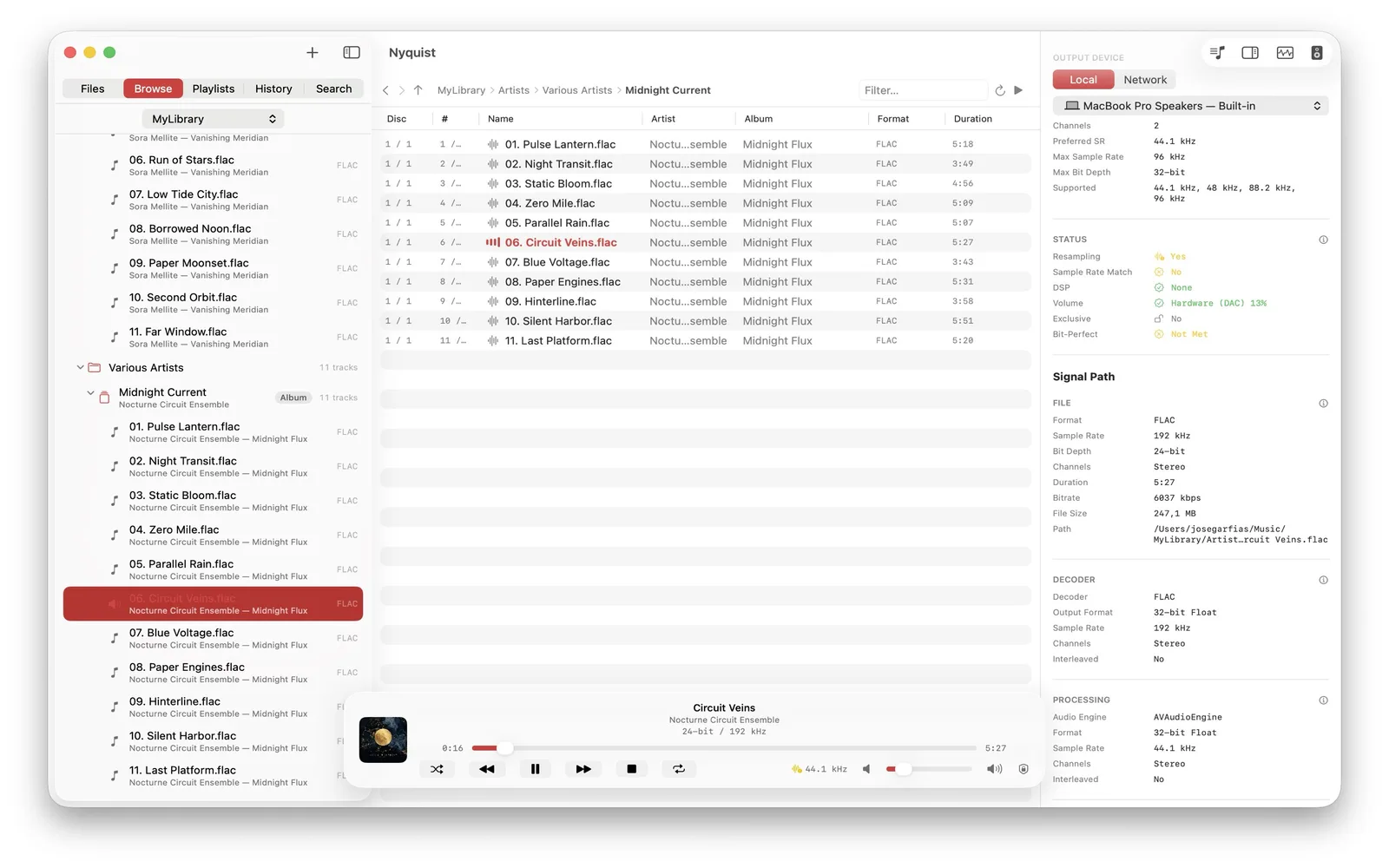
The first stage identifies the container, codec, sample rate, bit depth, and channel count detected in the file. These properties describe the source; they do not guarantee that every output accepts the same format.
PCM on macOS
Nyquist can bind to a selected CoreAudio output, request the source rate or a clean same-family multiple, and wait for the device clock to settle before playback. The status compares source and output rates and reports whether resampling is detected. Exclusive mode is shown separately.
Honest limit: the PCM engine uses a 32-bit float mixer. A matched rate and no detected resampling do not prove bit-identical PCM end to end.
DSD on macOS
For DSF and DFF, a compatible USB DAC can receive the DSD payload through DSD over PCM. The DAC recognizes and extracts the payload. Local DSD playback is not available on iPhone, iPad, or Apple TV.
Network and system routes
UPnP/DLNA sends the original file without transcoding, then the receiver owns decoding and any later processing. Bluetooth commonly adds codec transport. AirPlay handling depends on the system and receiving device. Nyquist labels these routes without claiming macOS-level output control over them.
Why an output may not match
Built-in hardware, a USB DAC, Bluetooth, AirPlay, and network receivers expose different supported formats and rates. A compatible USB DAC can give macOS more direct control, but no output device is automatically better because it accepts larger numbers.
Read the full signal-path guide, the strict bit-perfect definition, or USB DAC support in Nyquist.