Hi-Res · Local-first · No streaming
Your music, played correctly.
Nyquist is a native, file-first music player for audiophiles who keep large libraries on SSDs, external drives, and NAS shares — with gapless playback, native PCM and DSD support, bit-perfect output to your DAC or network receiver, and honest insight into every file's signal path.
- FLAC
- ALAC / AAC
- MP3
- AIFF / WAV
- Ogg / Opus
- DSD (DSF/DFF)
- See all formats
Built for people who care about the samples.
No recommendations, no cloud accounts, no social feed — just your music, reproduced accurately and navigated instantly.
-
Bit-perfect intent
On macOS, Nyquist matches your DAC's hardware sample rate to each file and waits for the clock to re-lock, so CoreAudio performs no resampling. No forced cross-family conversions, ever.
-
Native DSD playback
Play DSD files in DSF and DFF containers without converting their audio to PCM. On macOS, compatible USB DACs receive the DSD bitstream through bit-perfect DoP; compatible UPnP/DLNA receivers receive the original DSD file directly.
-
True gapless playback
Sample-accurate transitions between same-format tracks, so albums, live sets, and classical recordings flow without a single gap — locally and, where the receiver supports it, when casting over the network.
-
Built for huge libraries
Folder-first browsing that behaves like a high-performance file browser, not a slow database. Lazy, async discovery means no full-library scan before you press play — even across 50,000+ tracks.
-
NAS-aware
Add SMB shares directly or through the Files app. Remote tracks start instantly while a background copy makes seeks immediate, and the next track is prefetched for seamless rotation.
-
Exclusive mode & routing
Optionally take exclusive (hog) ownership of your DAC on macOS, and pick the exact CoreAudio output device — your choice is remembered across launches.
-
Deep transparency
Inspect format, sample rate, bit depth, channels, and codec — plus a live signal-path view showing source rate, output rate, and bit-perfect / resampling / exclusive status.
-
Network play (UPnP/DLNA)
Discover Denon, HEOS, and other UPnP/DLNA receivers on your network and stream the original file straight to them — with gapless hand-off where supported. Network devices sit right alongside your DACs in the output picker, and the receiver's own volume stays in sync.
-
Track analysis
A built-in lab for every file: a whole-track waveform with peak, RMS, and dynamic-range readouts; EBU R128 loudness with ReplayGain; a long-term spectrum that exposes upsampled and lossy-sourced files; a full spectrogram; plus live spectrum, level meters, and a stereo goniometer — each with a plain-language verdict.
-
On-device search
A private, persistent index of your saved locations, with filters by file type and metadata field — title, artist, album, genre, composer, label, year, or format. Nothing ever leaves your device.
-
Library topology
An evidence-based classifier turns your folders into a browsable map — artists, albums, EPs, singles, live sets, compilations, box sets, and discs — so huge libraries make sense at a glance.
-
Flexible volume
Volume is applied the right way for each output: your device's system volume on iPhone and iPad (and for AirPlay), your DAC's own hardware volume or software gain on macOS, and the receiver's own level when casting. An optional limiter caps the volume across every output — even against the hardware buttons — to prevent accidental loud jumps.
-
Playlists
Organize your music into groups and playlists stored as portable
.m3u8files in a folder you choose — including a NAS share added through the Files app. Point every device at the same folder and your playlists stay in sync across Mac, iPhone, and iPad. Build them from tracks, whole folders, or the current queue, then reorder and edit them anywhere.
23 recognized file extensions
Your library does not need one format.
Nyquist discovers every format below and probes the codec inside whenever possible. Container extensions such as M4A and Ogg are not treated as promises about the audio they contain.
-
FLAC
Native PCM path.flac
Lossless FLAC playback with track analysis.
-
MPEG-4 Audio
Native PCM path.m4a.m4b.m4r.alac
AAC, ALAC, or PCM, detected from the file when possible.
-
MP3 & AAC
Native PCM path.mp3.aac.adts
MP3 and raw ADTS AAC playback with track analysis.
-
AIFF & WAVE
Native PCM path.aif.aiff.aifc.wav.wave
AIFF, AIFC, and RIFF WAVE, including their commonly used PCM payloads.
-
Wave64, CAF & AU
Native PCM path.w64.caf.caff.au.snd
Wave64, Core Audio Format, and AU/SND when Core Audio supports the file's payload.
-
Ogg family
Native PCM path.ogg.oga.opus
OGG and OGA files may contain Vorbis, Opus, or FLAC audio streams which Nyquist supports natively.
-
DSD
macOS DoP.dsf.dff
Native DSD on macOS through DoP with a compatible external DAC. Local DSD playback is not available on iPhone, iPad, or Apple TV.
Not currently supported
Outside the native path.
Apple does not provide the native decoding path Nyquist relies on for these formats. Supporting them requires custom decoding or a library such as FFmpeg, and that cost currently outweighs user demand. Nyquist can revisit them if users need them.
-
MMF / SMAF
Unsupported.mmf
Apple provides no native SMAF decoder. Its Yamaha ADPCM audio would require custom decoding or FFmpeg.
-
WMA / ASF
Unsupported.wma
Apple provides no native WMA decoder. Unprotected files need an ASF/FFmpeg path; DRM-protected files would remain unavailable.
-
SACD ISO
Unsupported.iso
An SACD ISO is a disc image with virtual tracks. Custom parsing, DST decoding, and licensing are required; extracted DSF/DFF files work today.
A desktop-class player, screenshot by screenshot.
Real captures from Nyquist — pick a platform to see how the file browser, live signal path, now-playing screen, playlists, and track-analysis lab look on Mac, iPhone, and iPad.
-
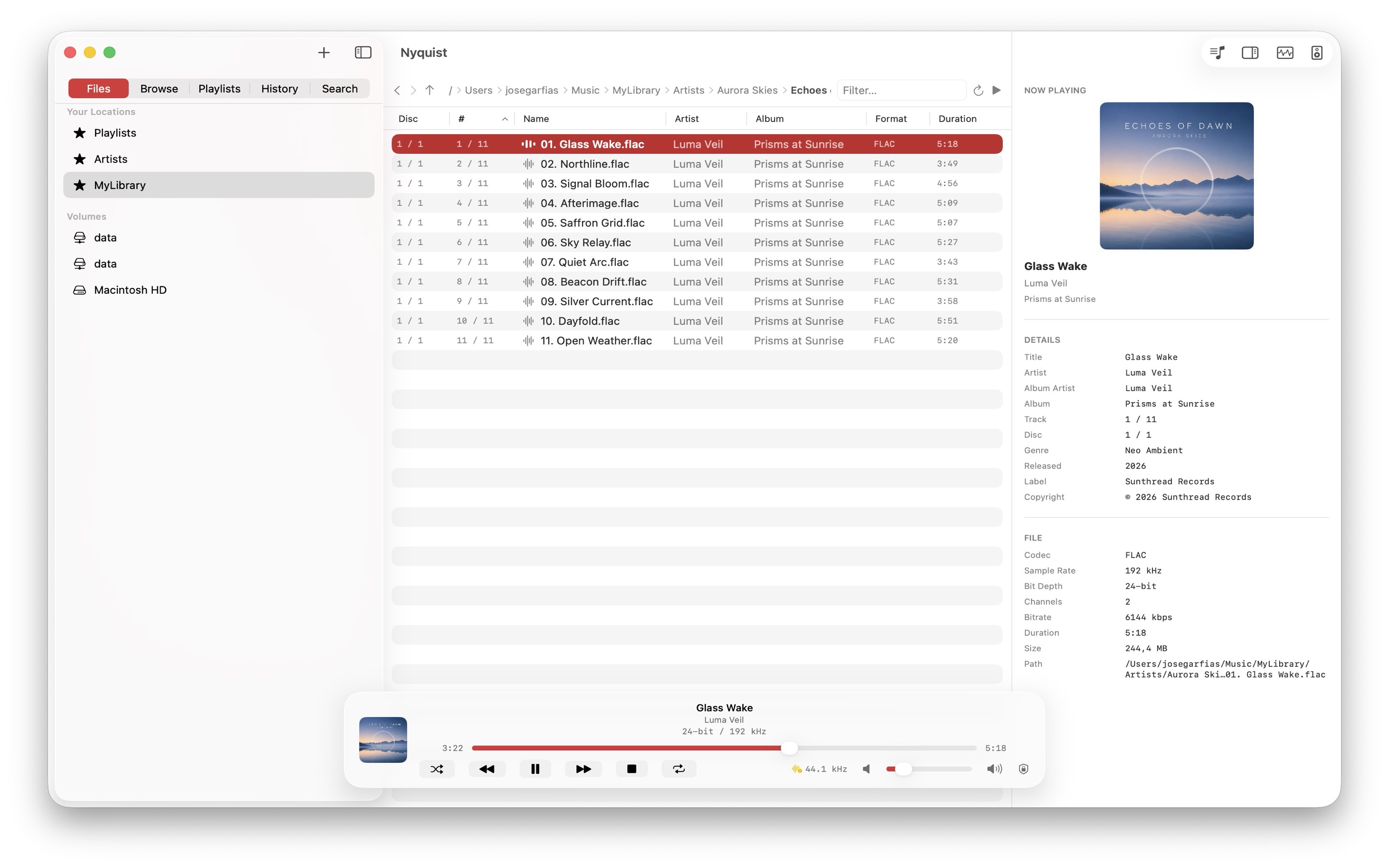
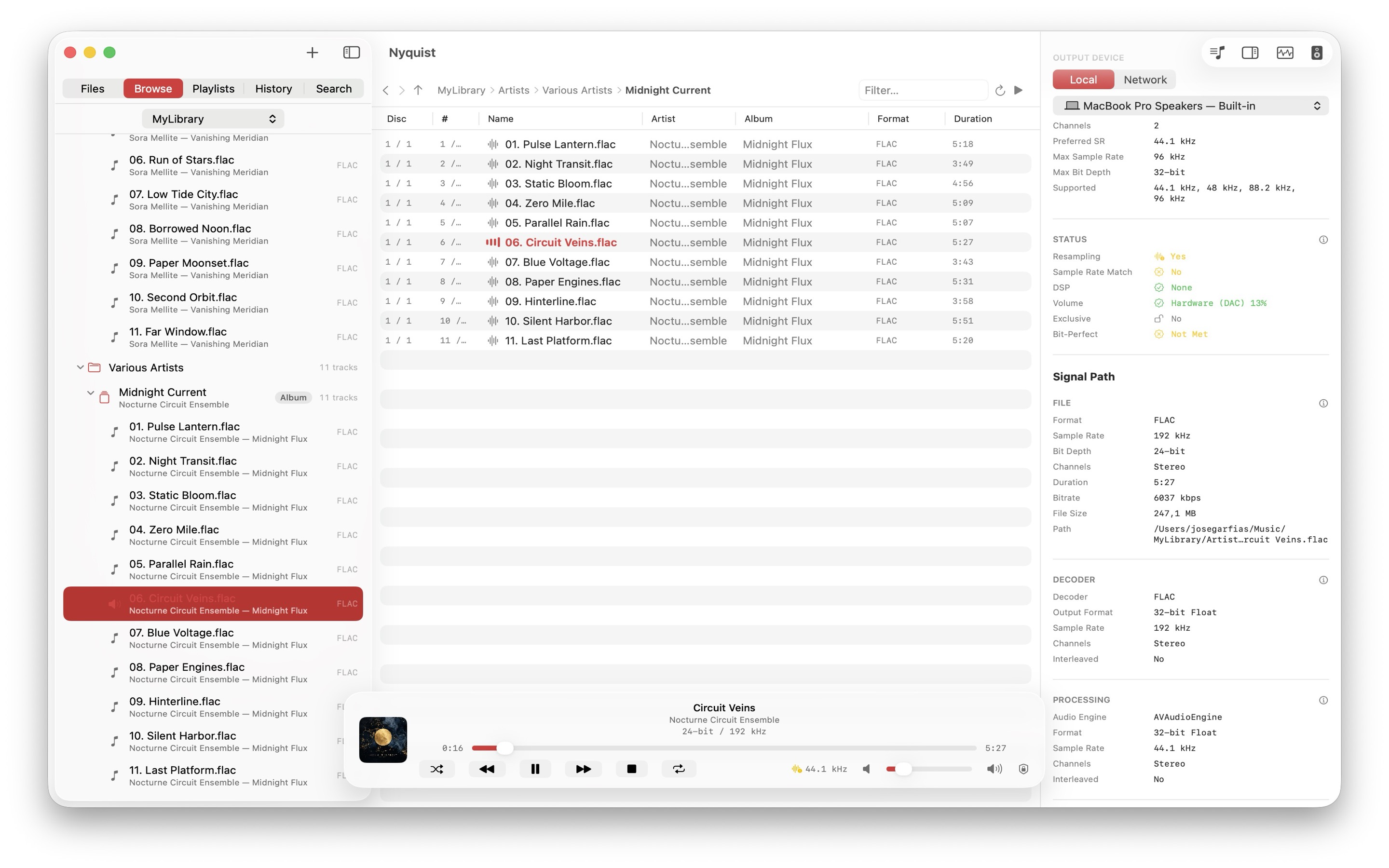
Folder-first browsing Navigate huge local and NAS libraries like a high-performance file browser. -
Bit-perfect signal path Pick the exact output device and verify sample-rate matching, exclusive mode, and live DAC status. -
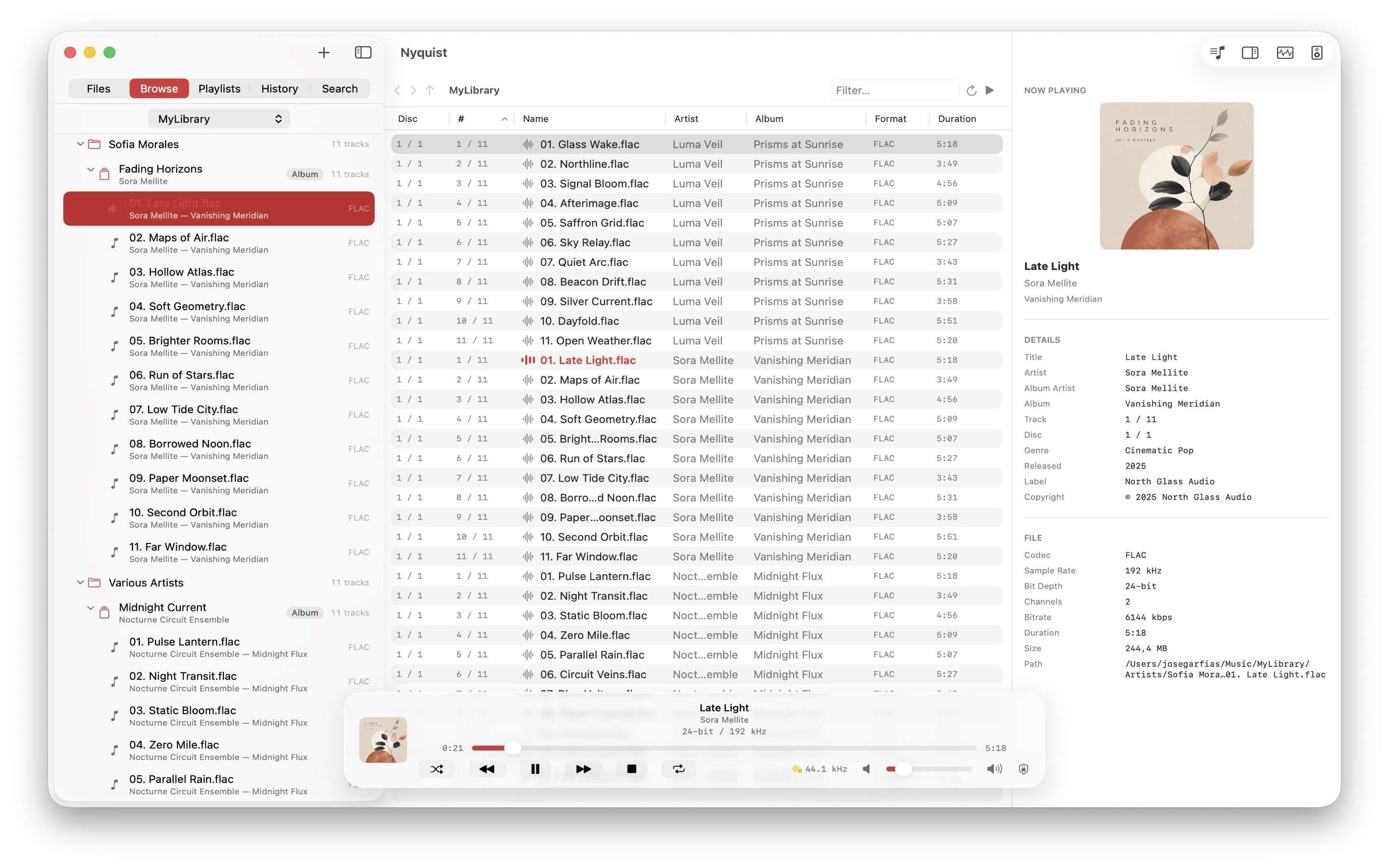
Now-playing inspector Cover art plus complete metadata and file details for the current track. -
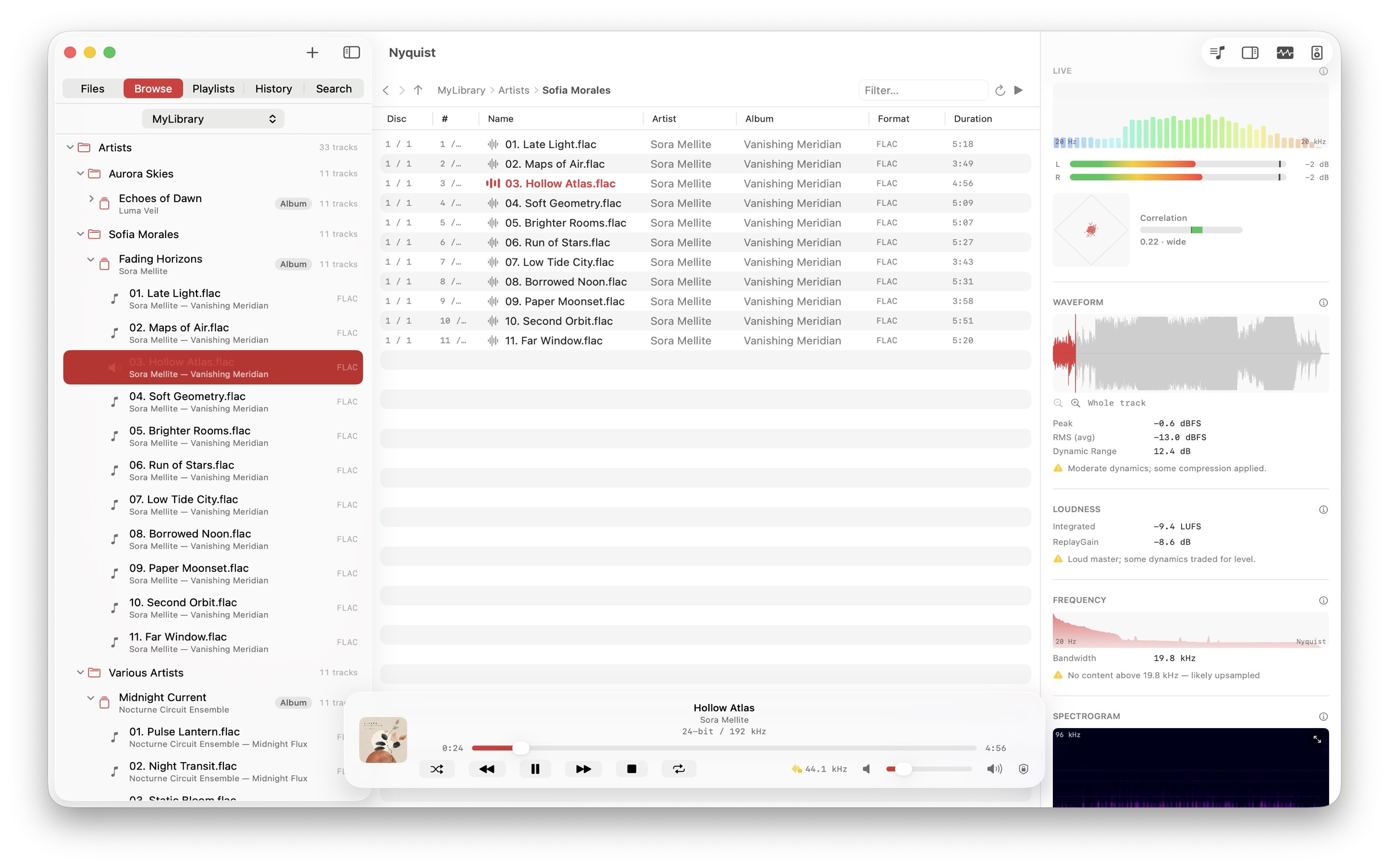
Track analysis Waveform, loudness, ReplayGain, bandwidth, and a full spectrogram — per file. -
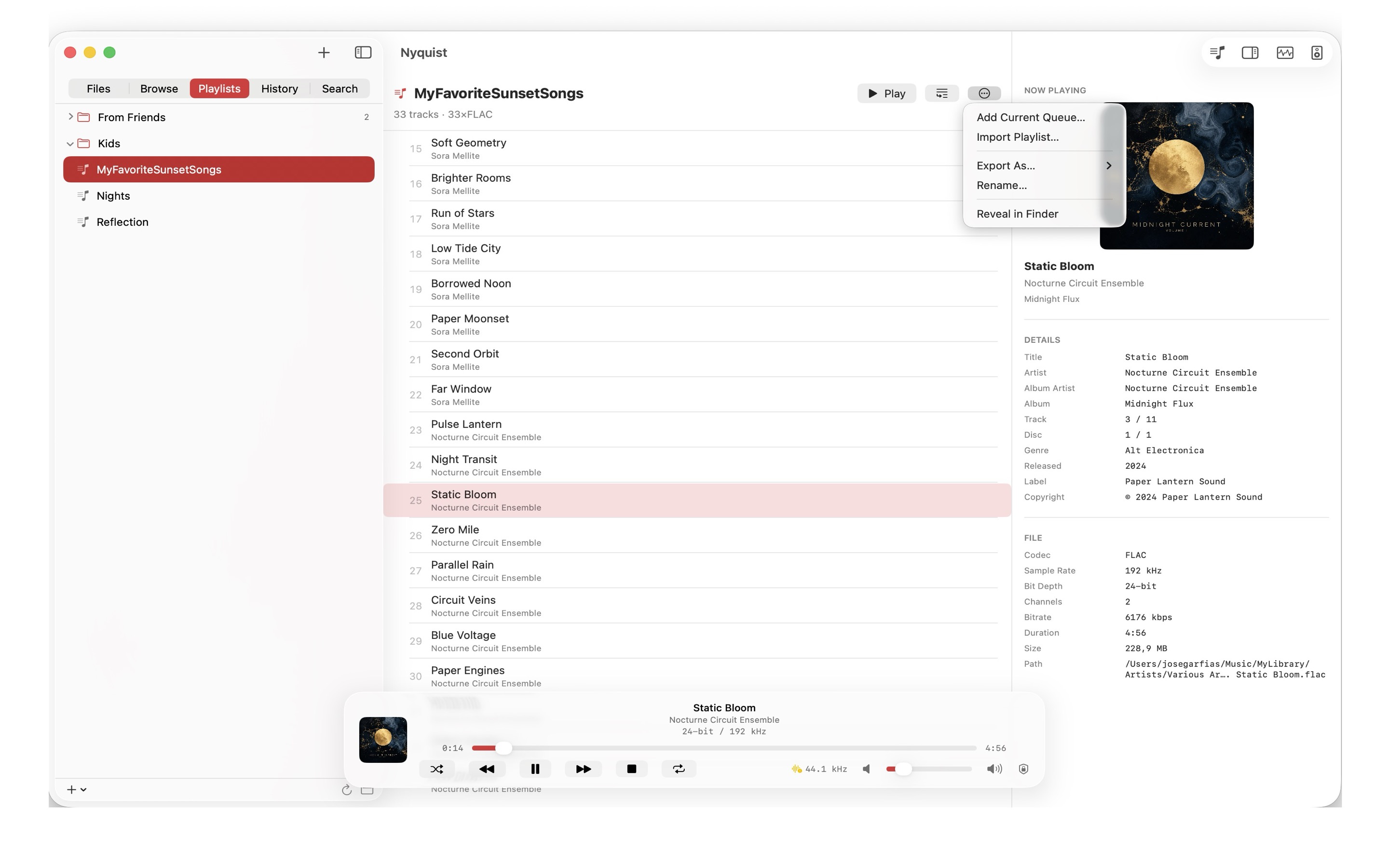
Playlists Portable .m3u8playlists in a folder you choose — build, reorder, and export them anywhere. -
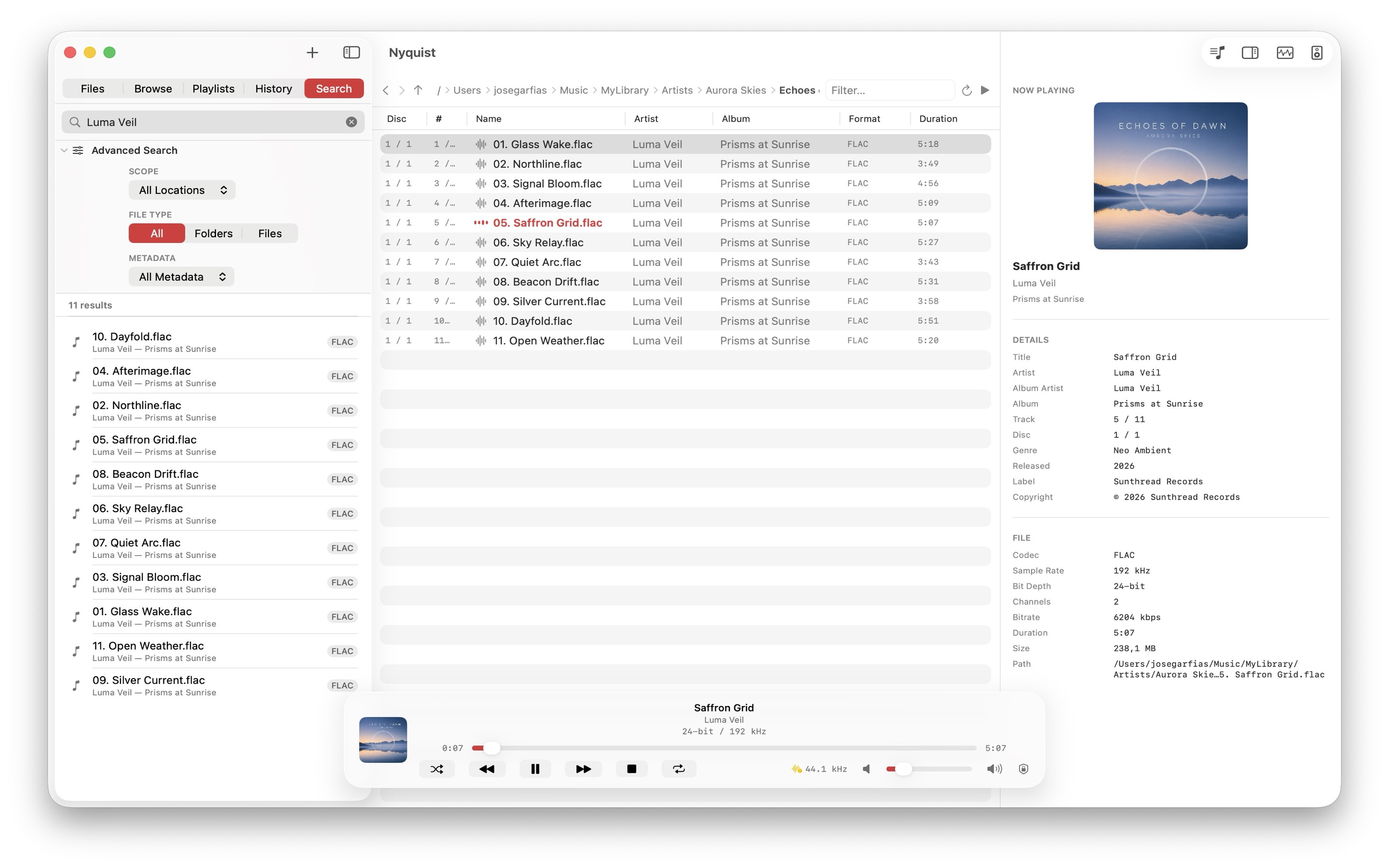
On-device search A private, instant index of your library with metadata-aware filters.
-
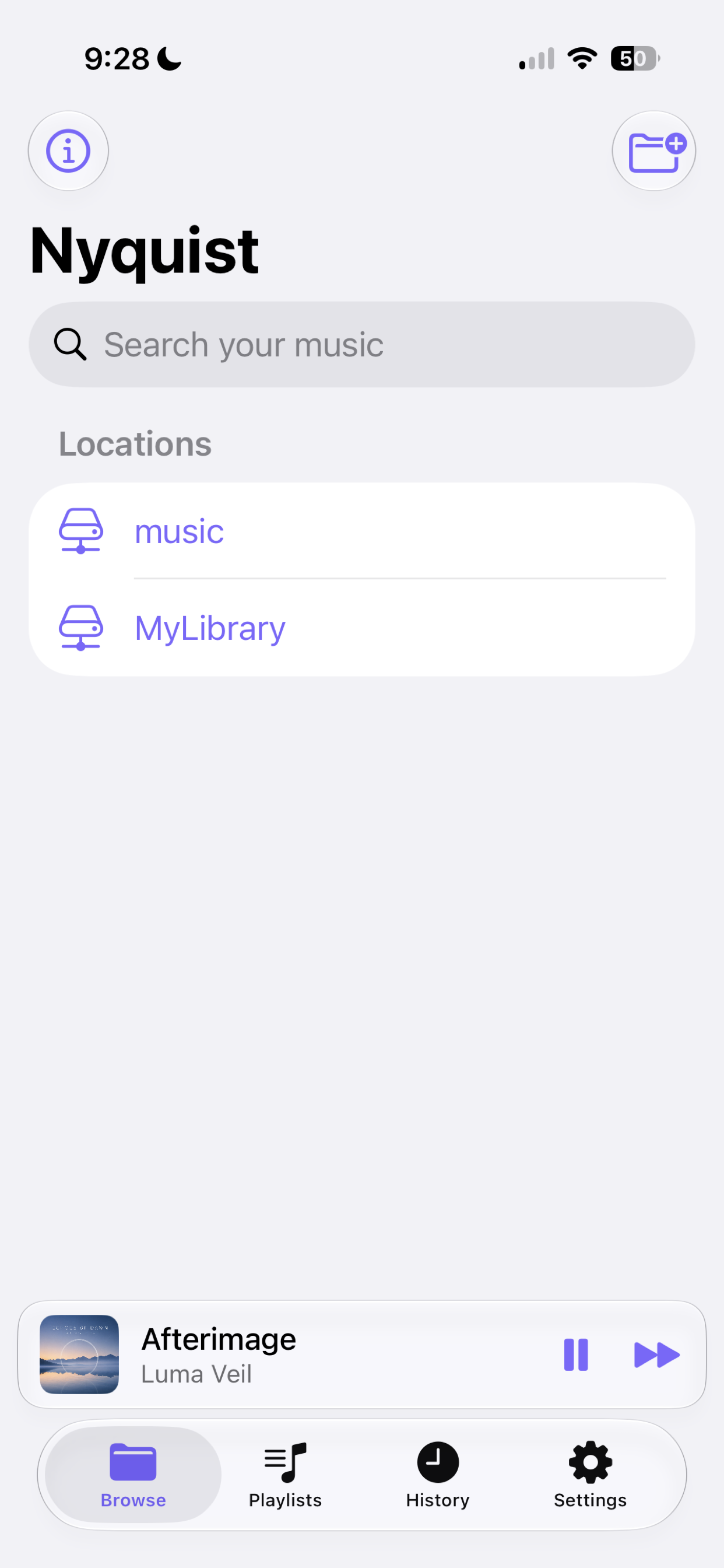
Your locations Saved local and NAS locations with instant search, right on the home screen. -
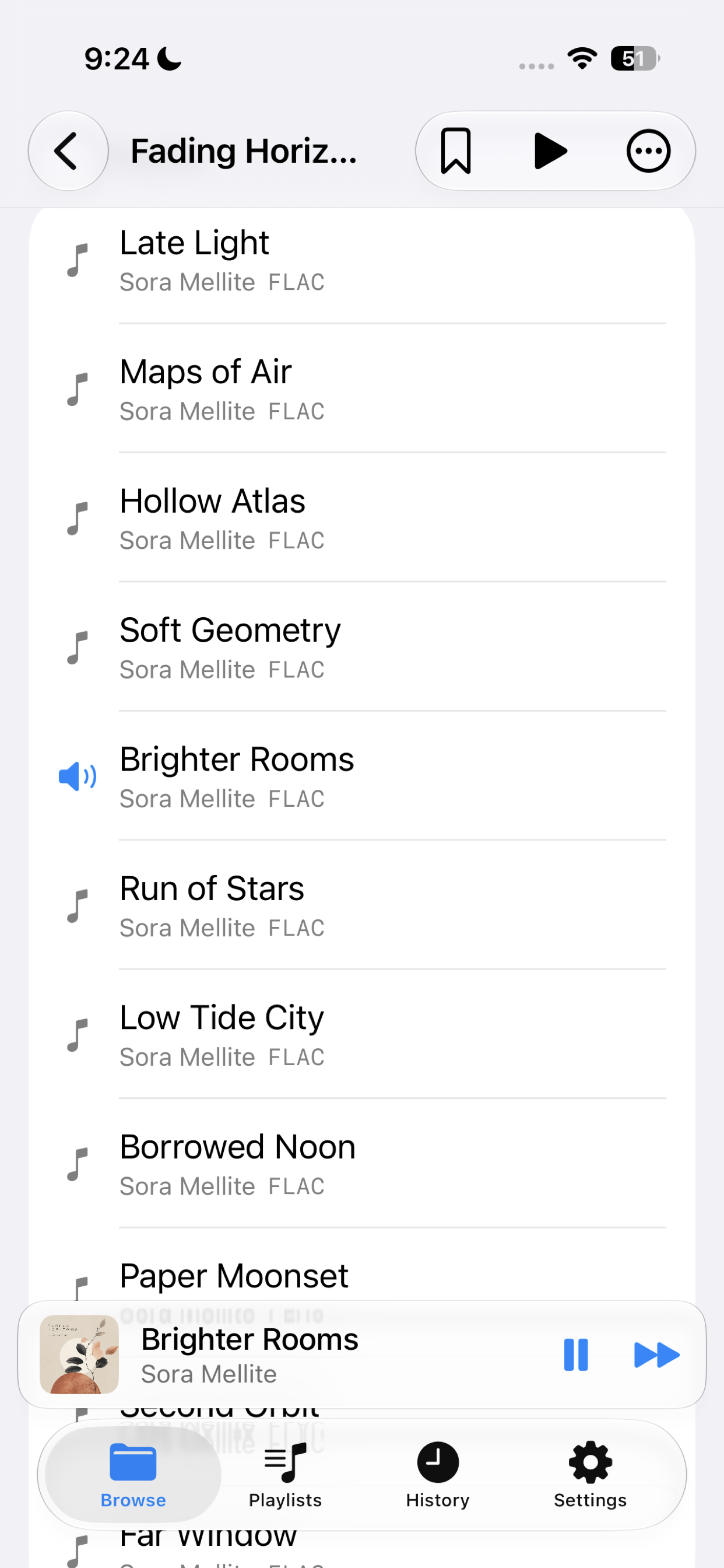
Folder-first browsing Tap through albums and folders with a pinned mini player and tabbed navigation. -
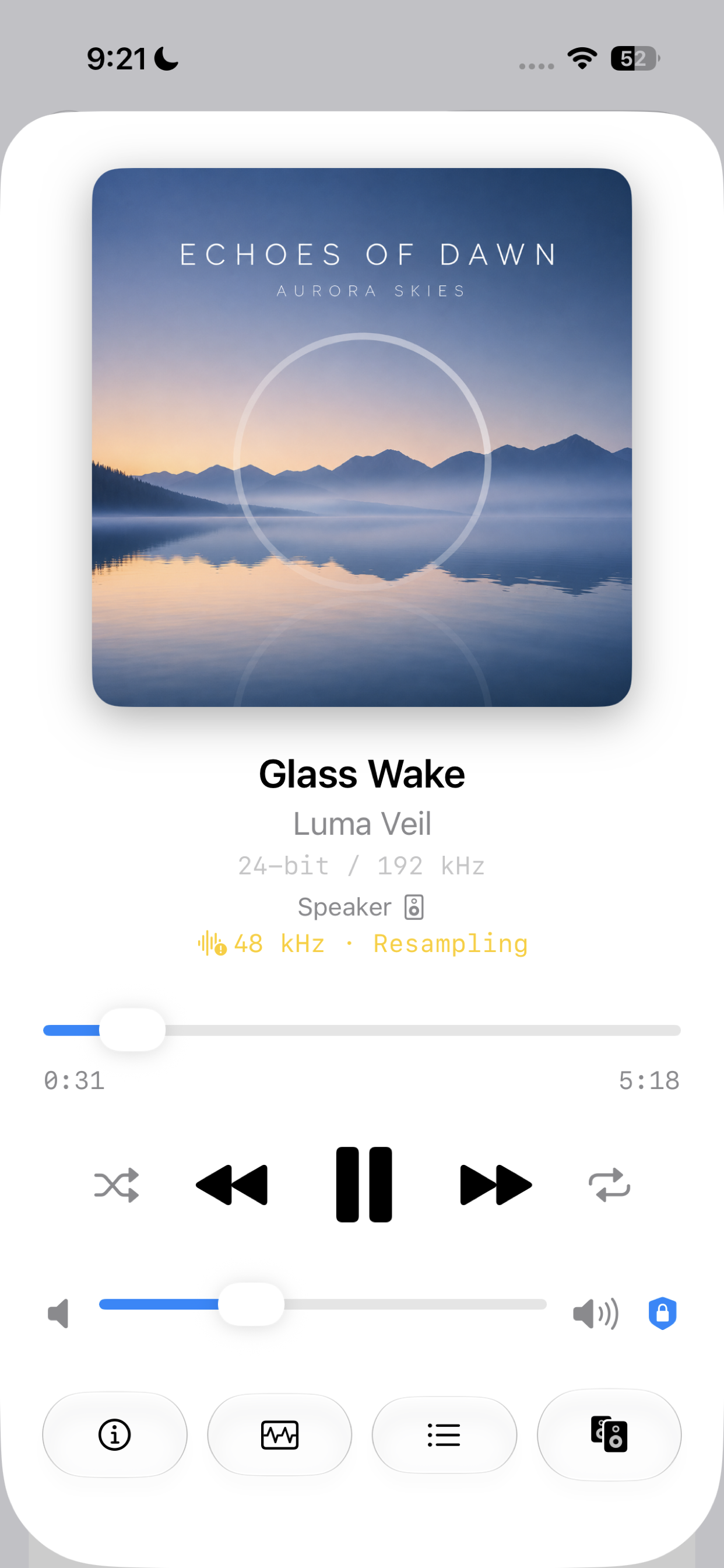
Now playing A full now-playing screen with format, output route, and resampling status. -
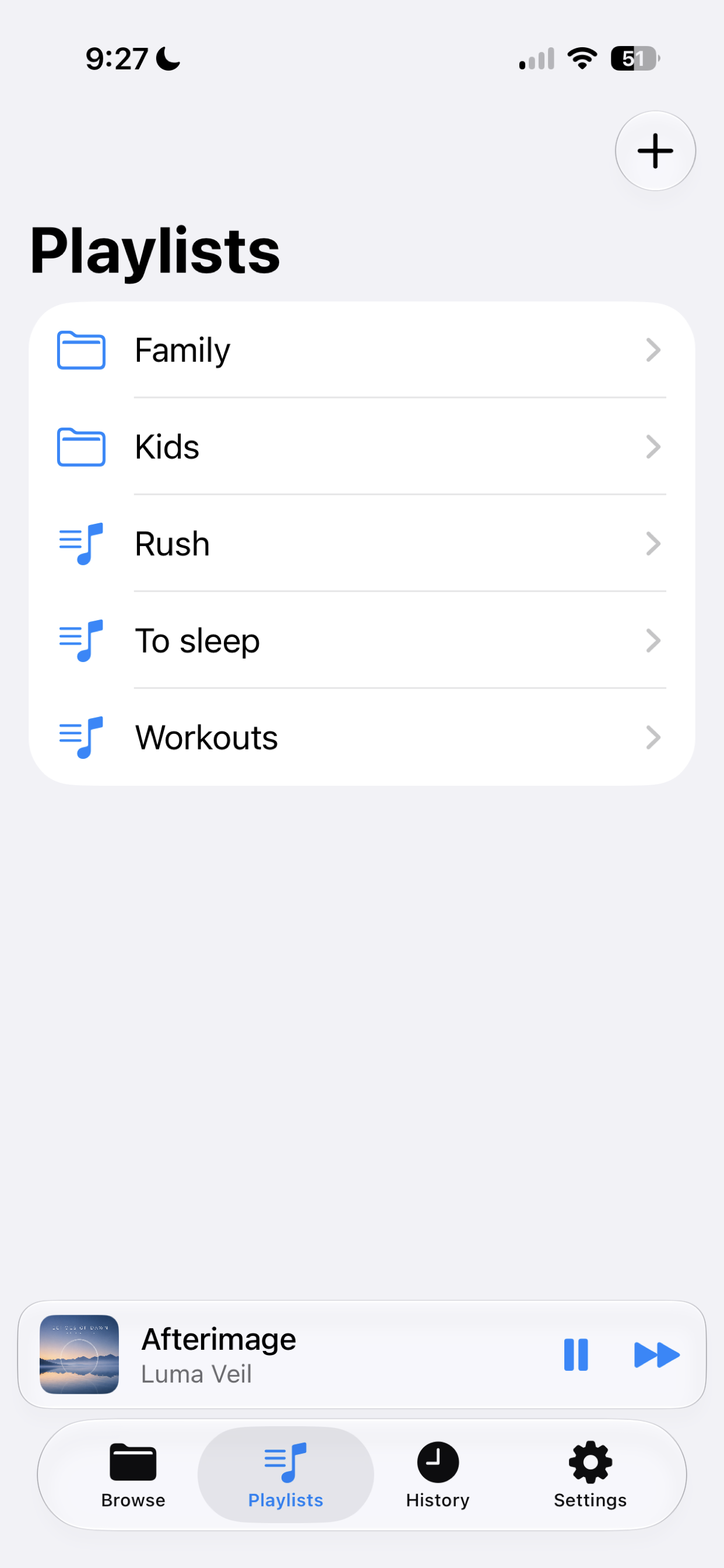
Playlists Manage portable .m3u8playlists that stay in sync across your devices. -
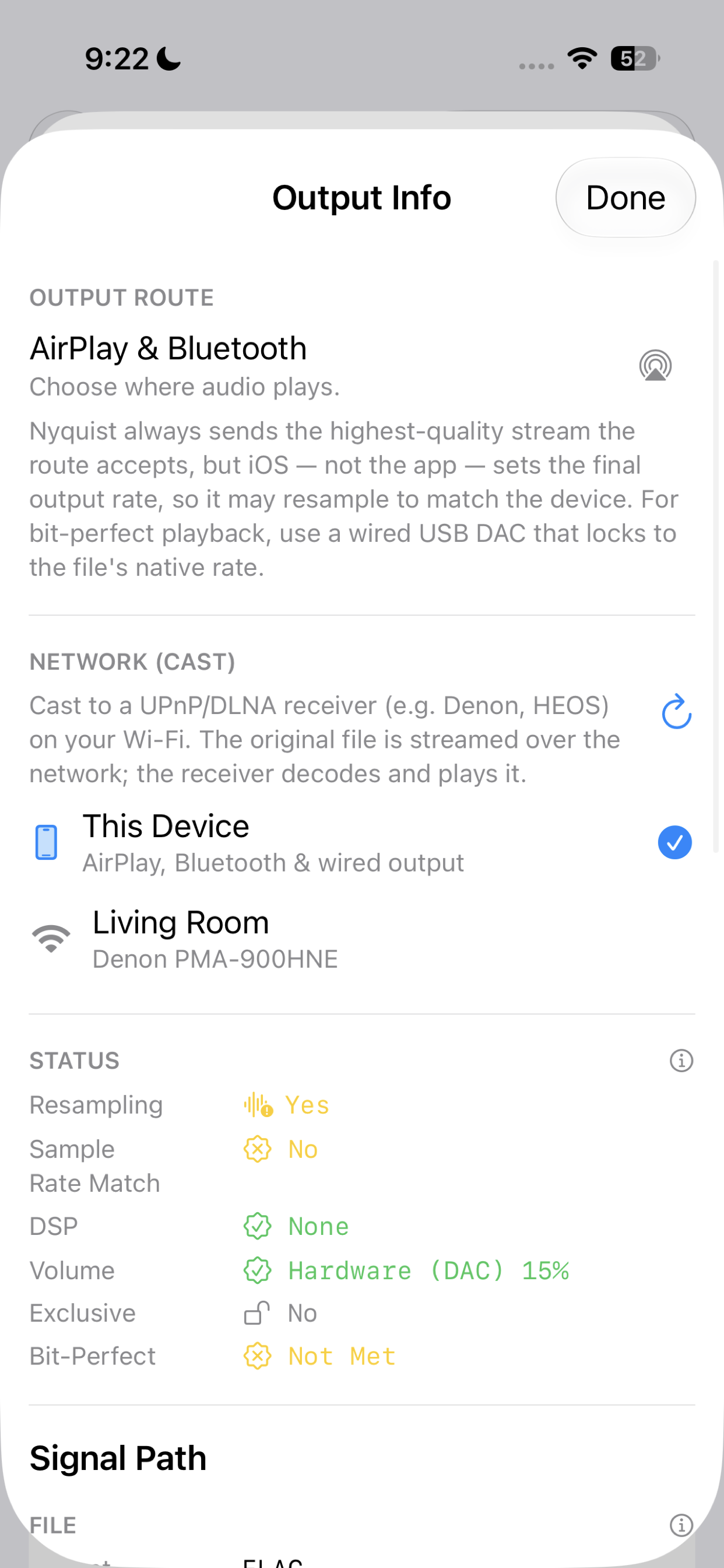
Output & network play Choose AirPlay, Bluetooth, wired output, or cast to a UPnP/DLNA receiver. -
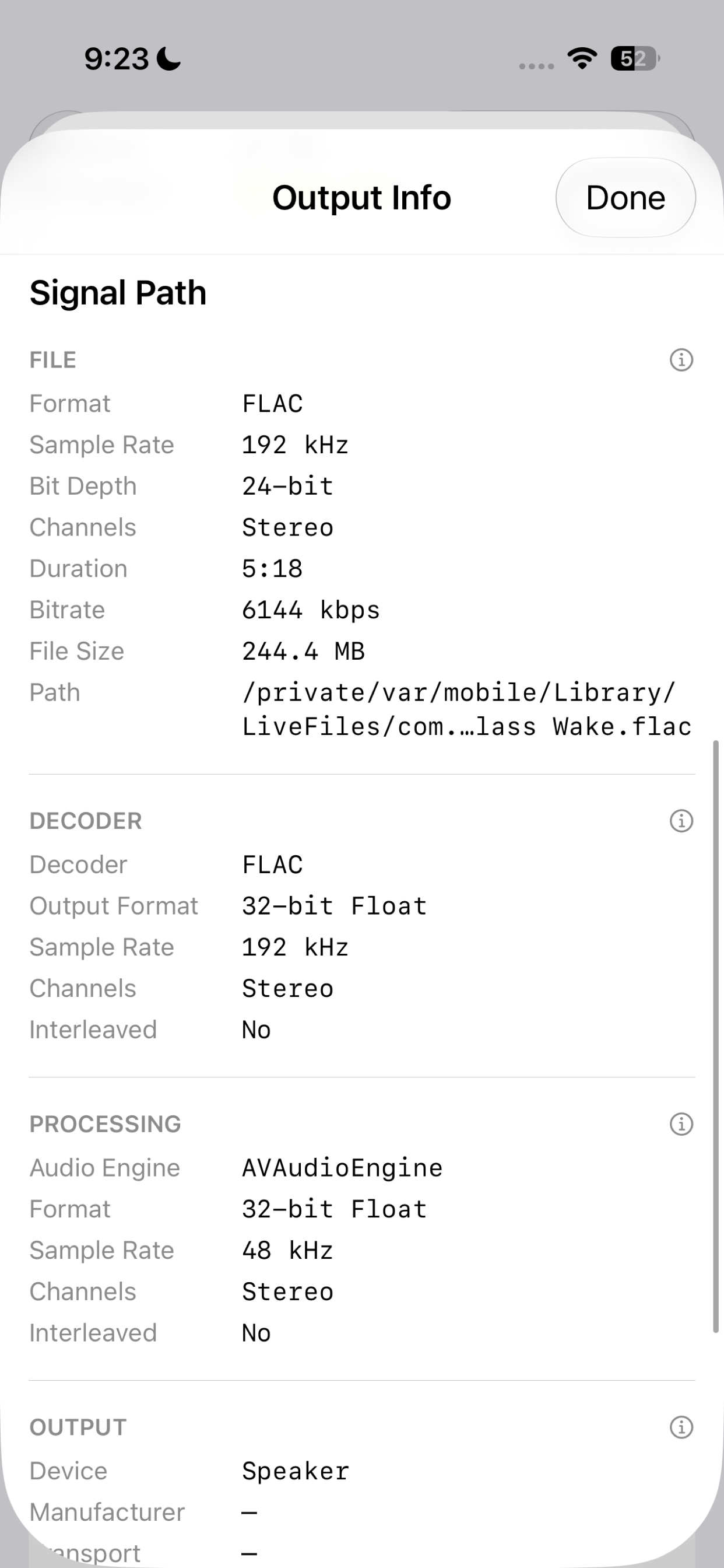
Signal path Follow the file through decoder, processing, and output, stage by stage. -
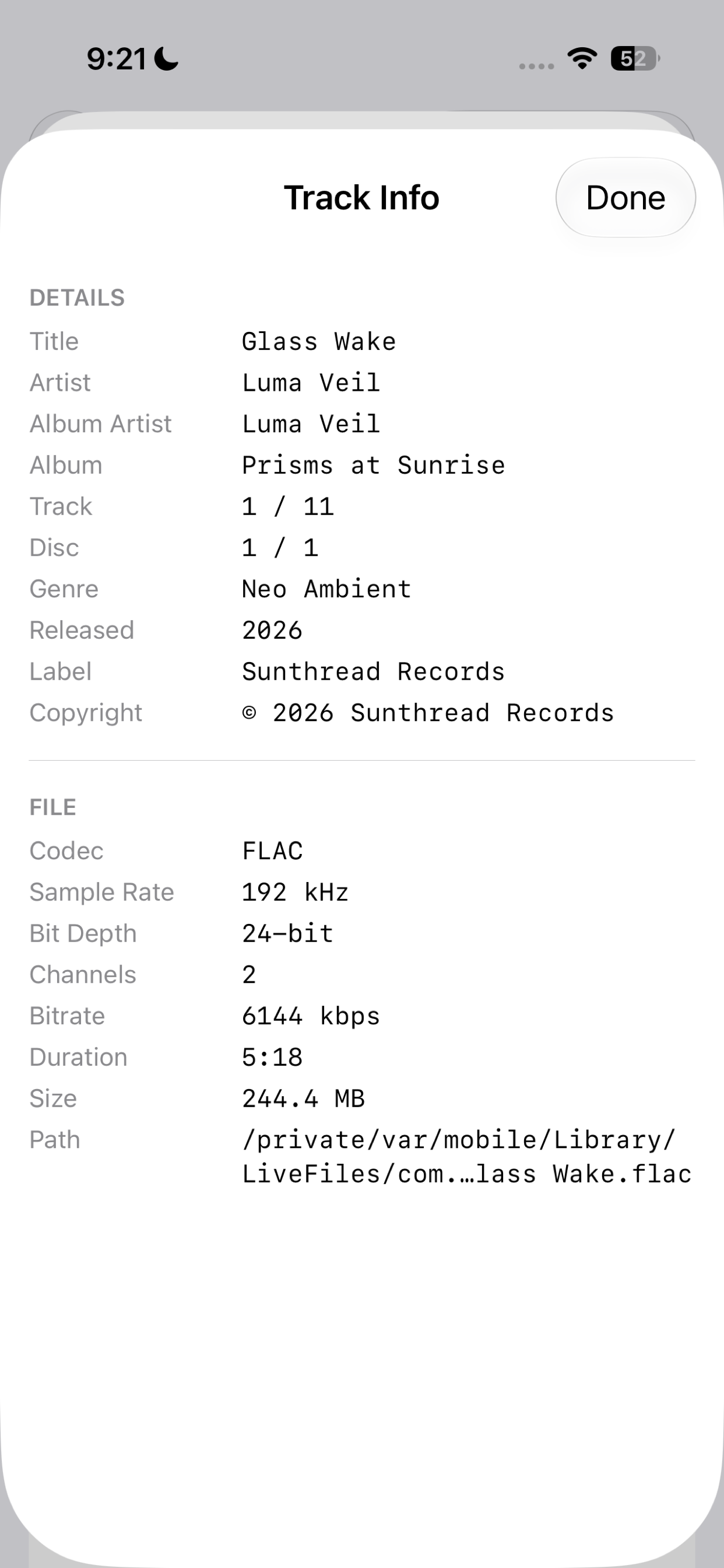
Track info Complete metadata and file details for every track. -
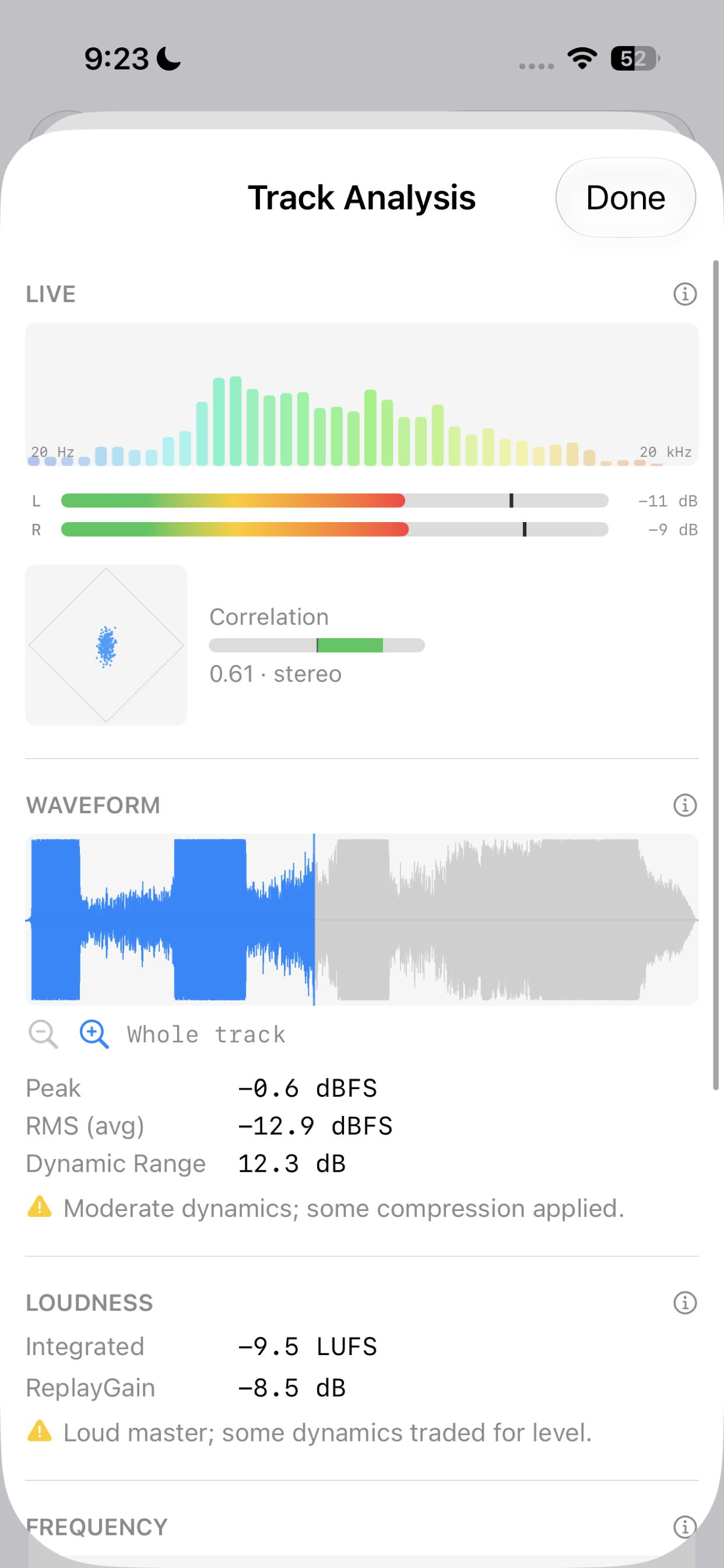
Track analysis Live spectrum, level meters, goniometer, waveform, and loudness. -
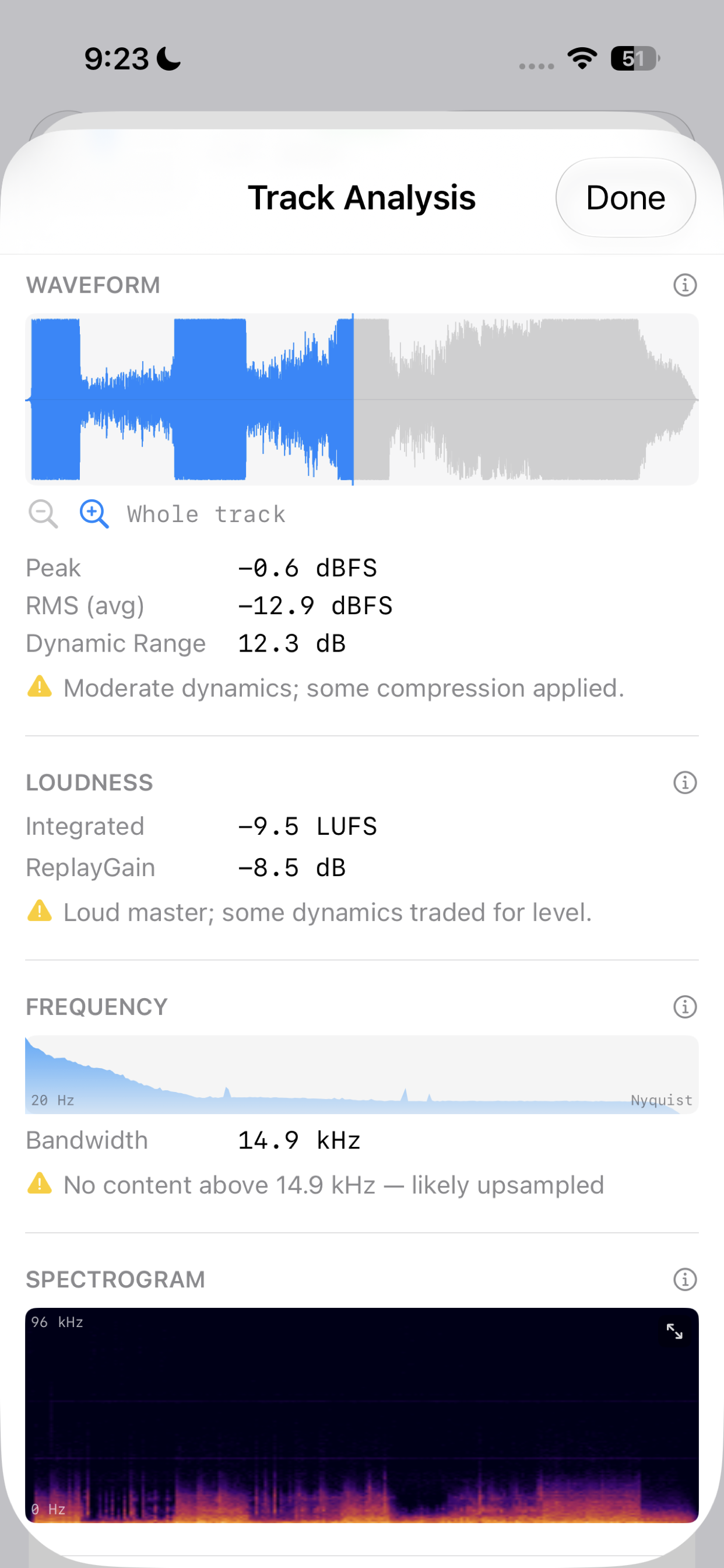
Waveform & loudness Peak, RMS, dynamic range, bandwidth, and a full spectrogram per file.
-
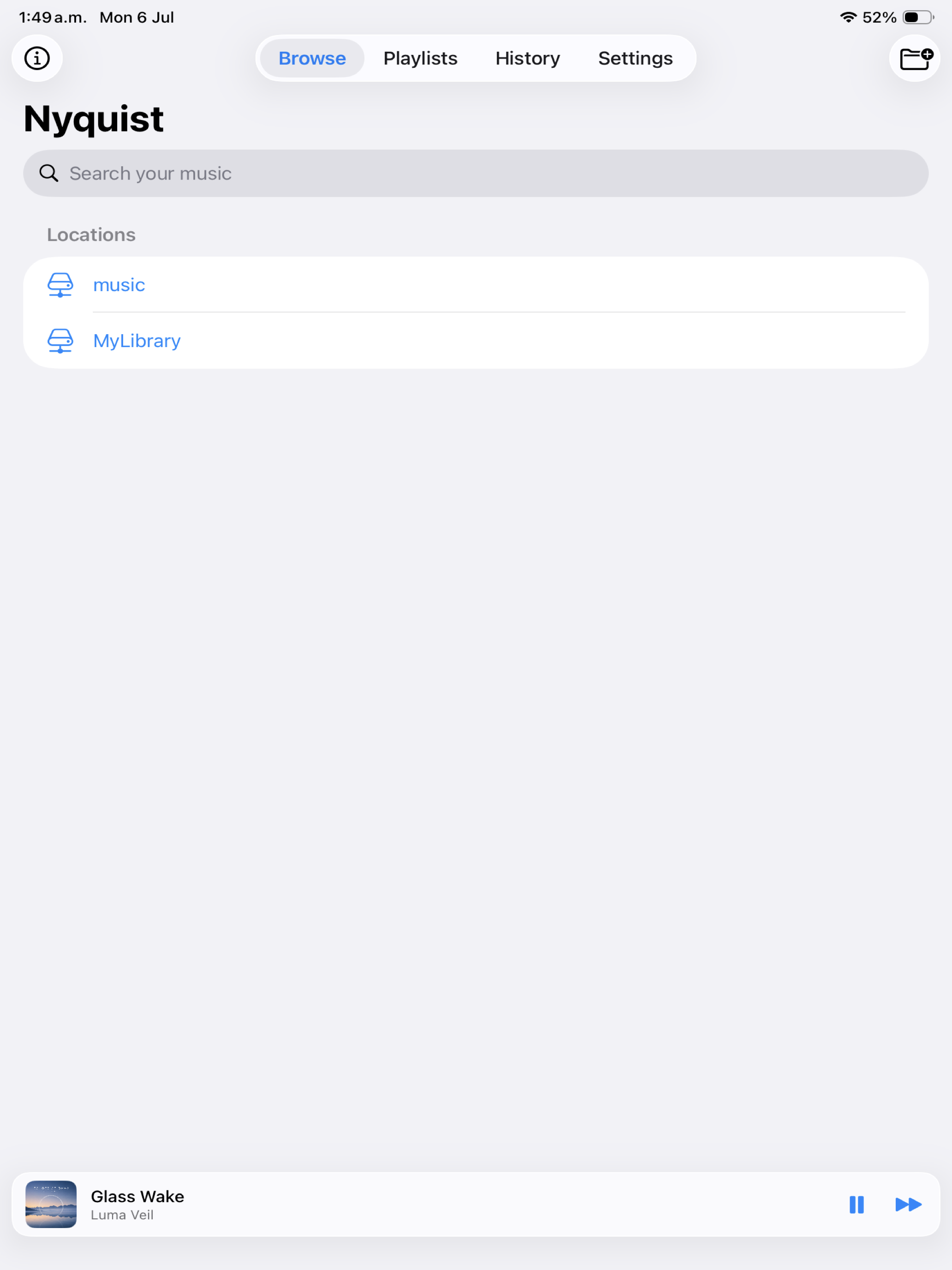
Your locations Saved local and NAS locations with instant search. -
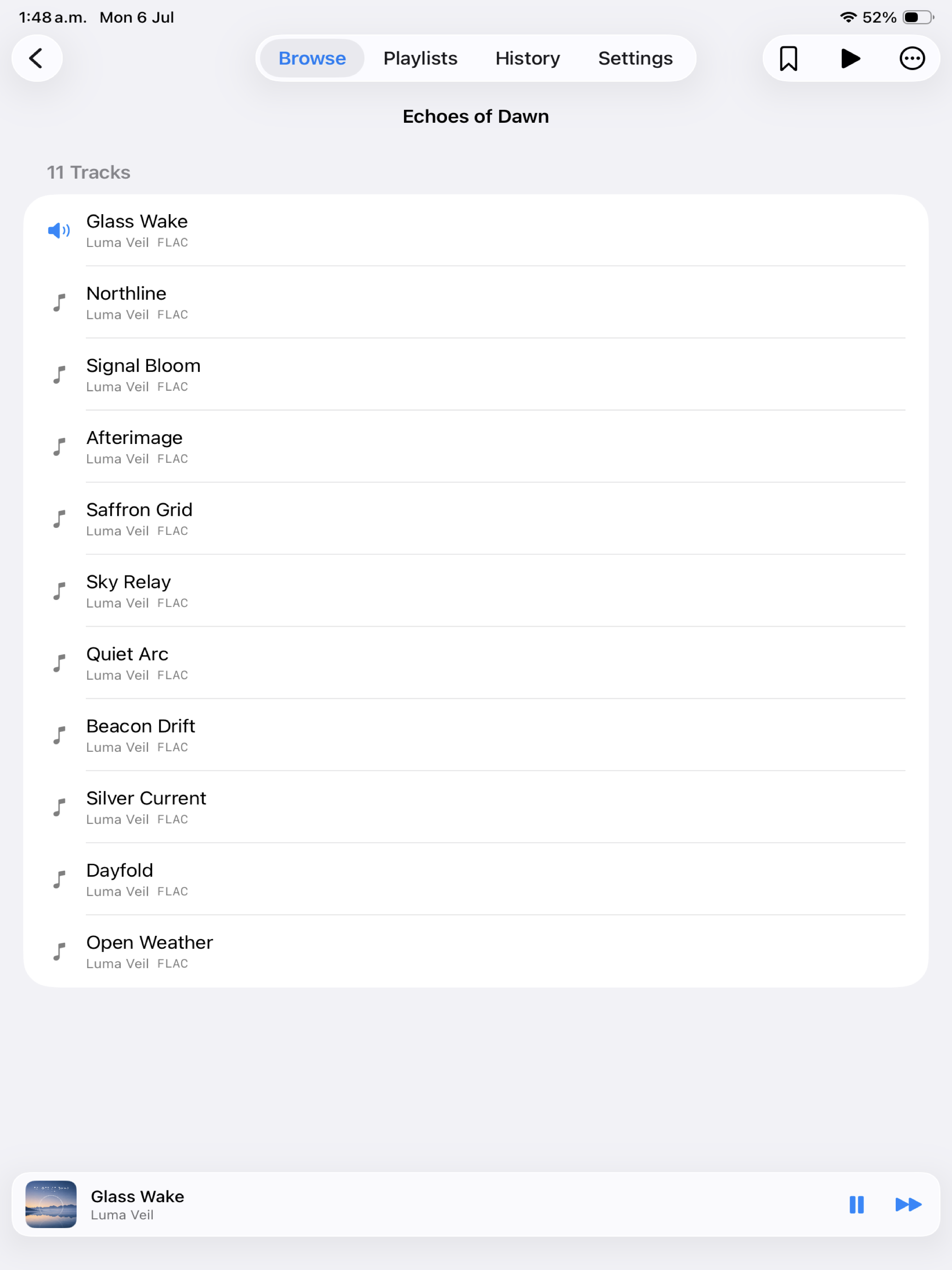
Folder-first browsing Album and folder navigation with a pinned mini player. -
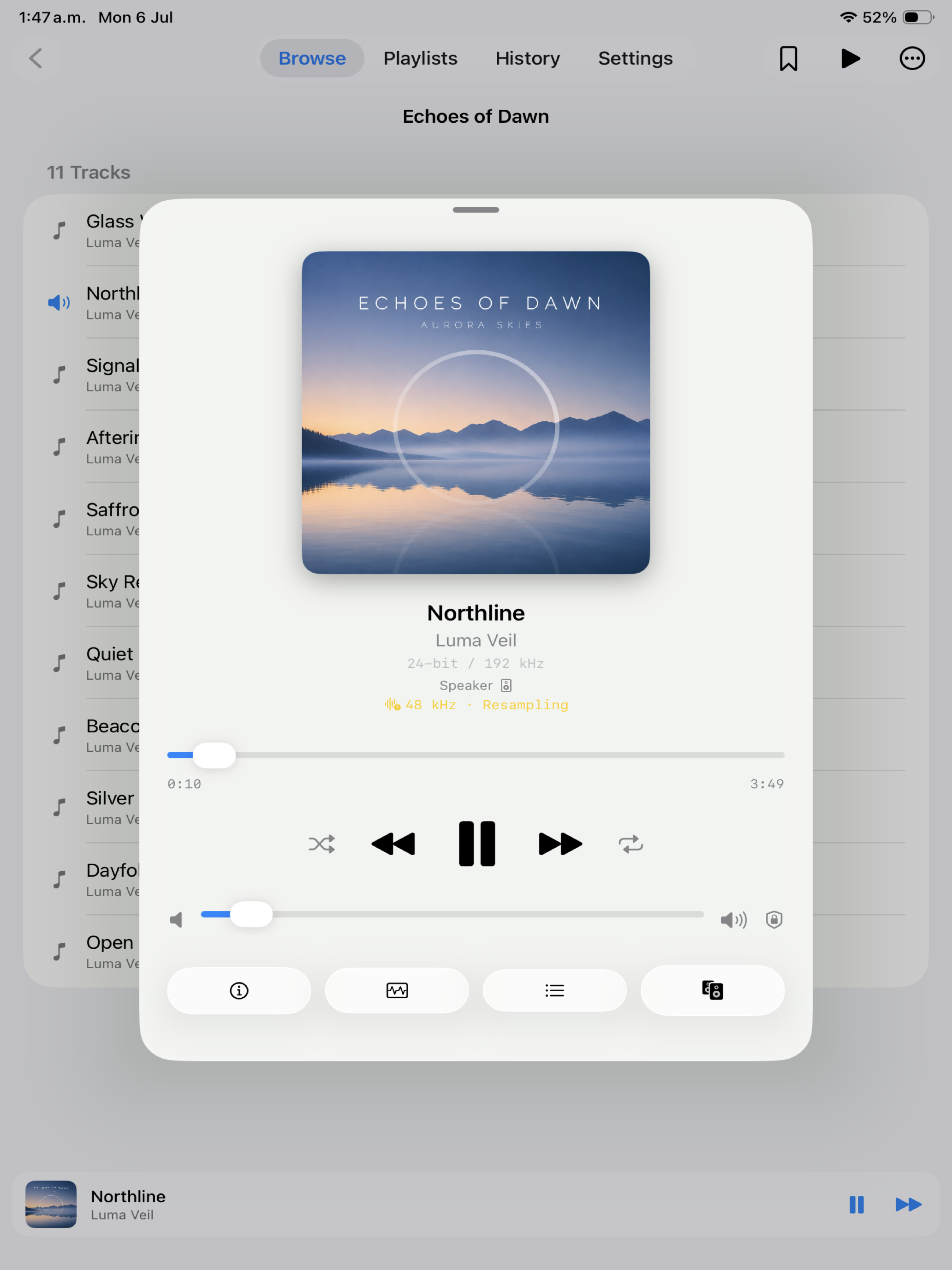
Now playing A full now-playing screen with output route and resampling status. -
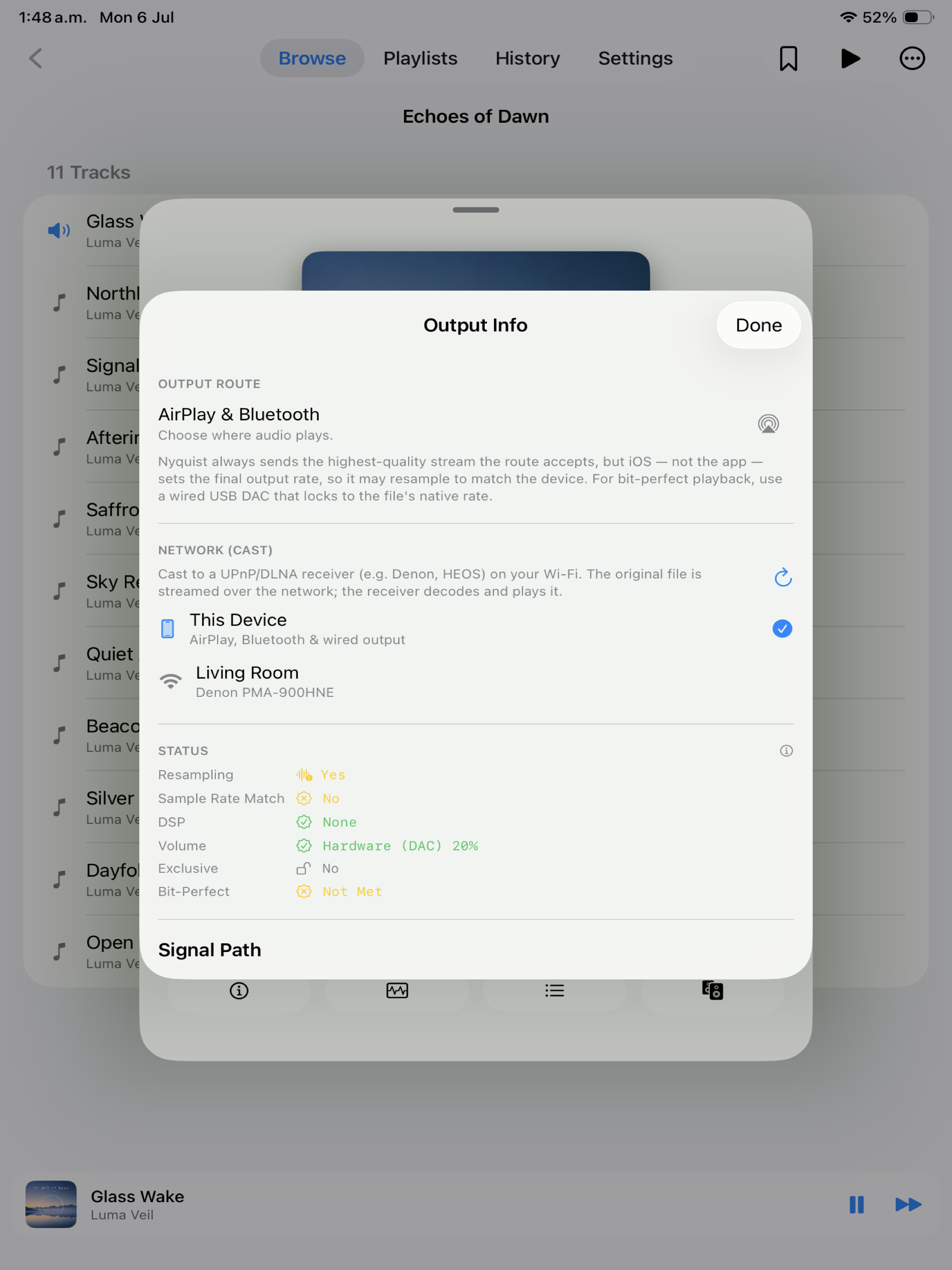
Output & network play Route to AirPlay, Bluetooth, wired, or cast to a network receiver. -
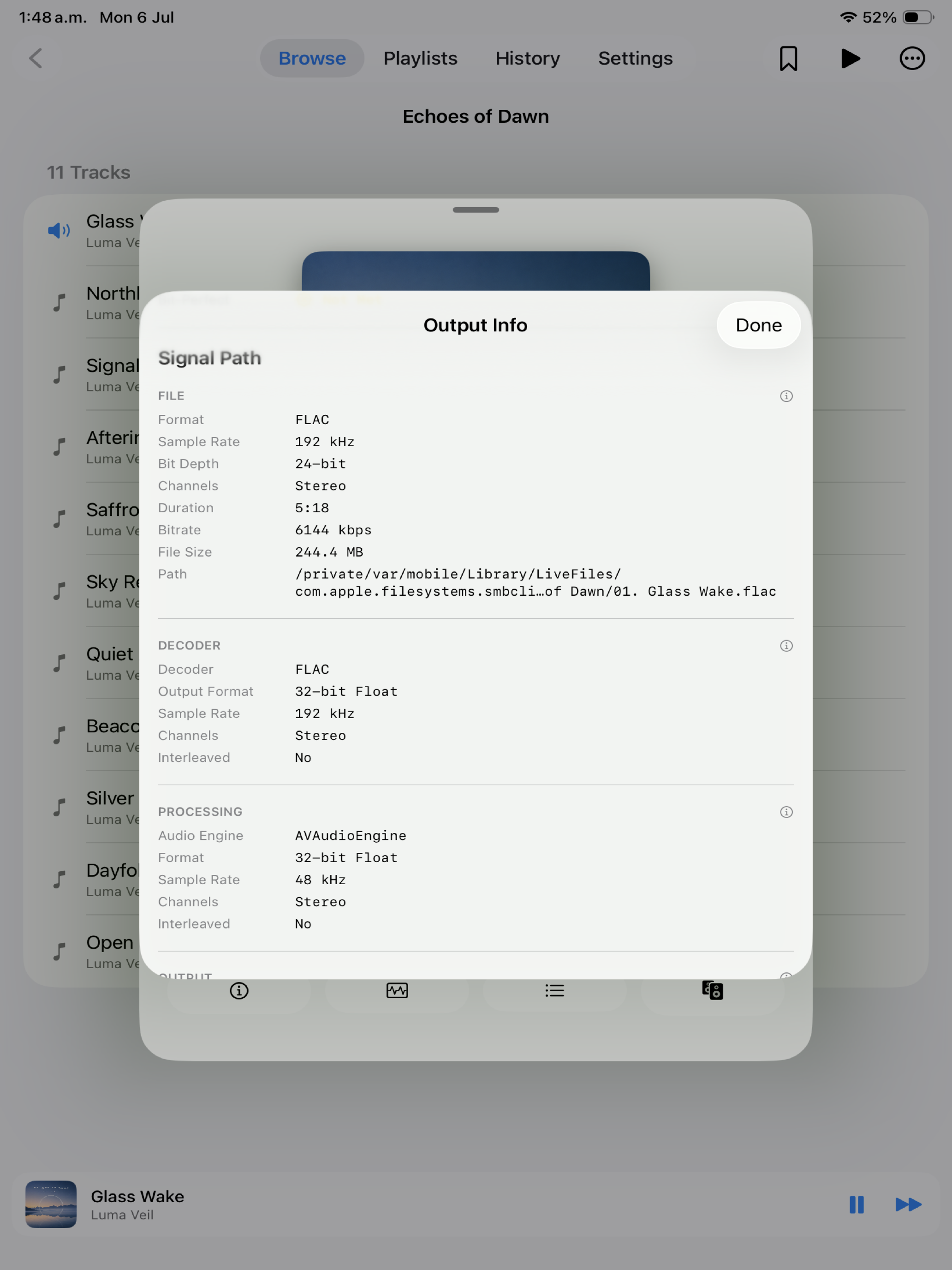
Signal path The full playback chain from file to output. -
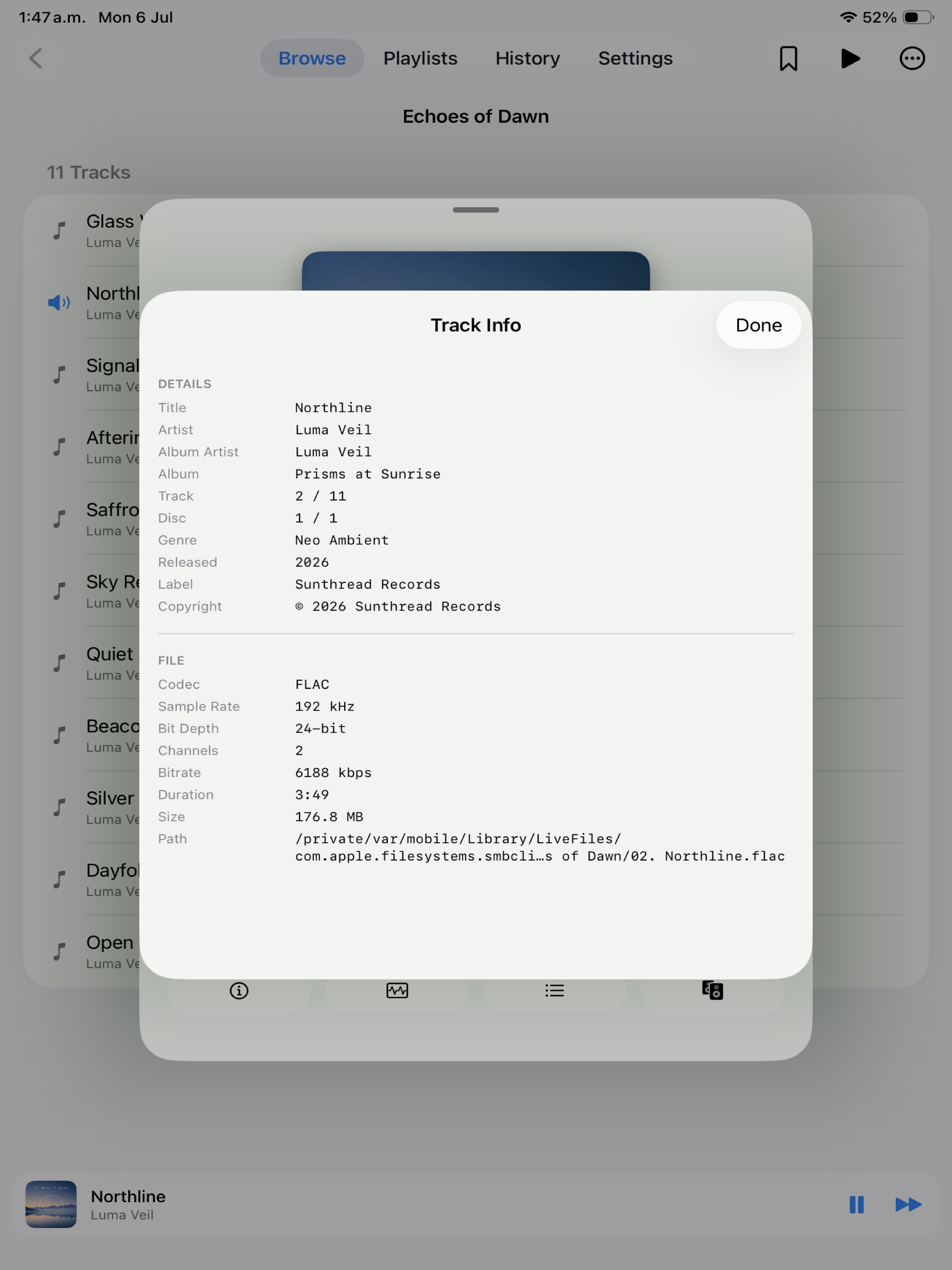
Track info Complete metadata and file details for every track. -
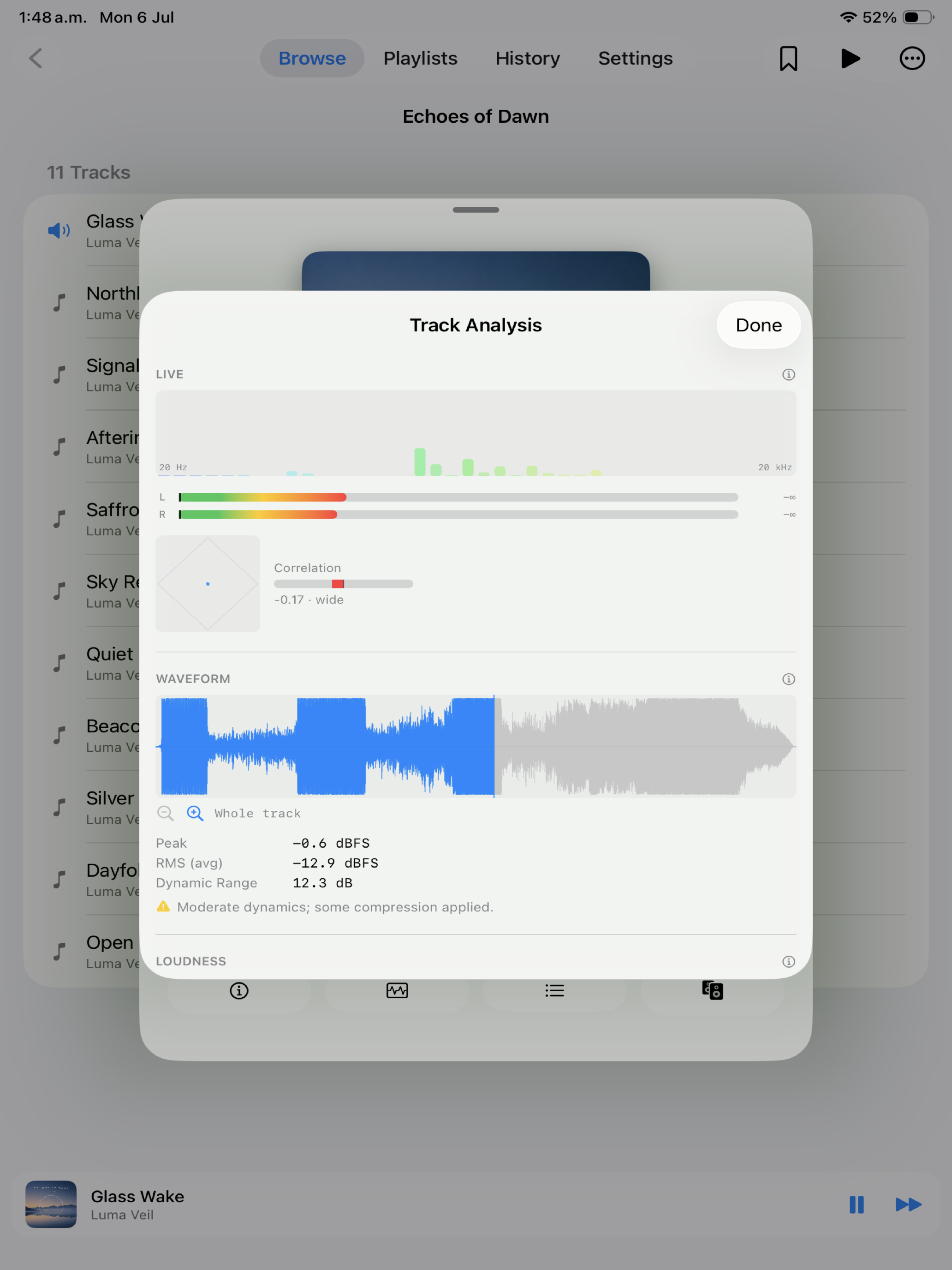
Track analysis Live spectrum, meters, waveform, and loudness. -
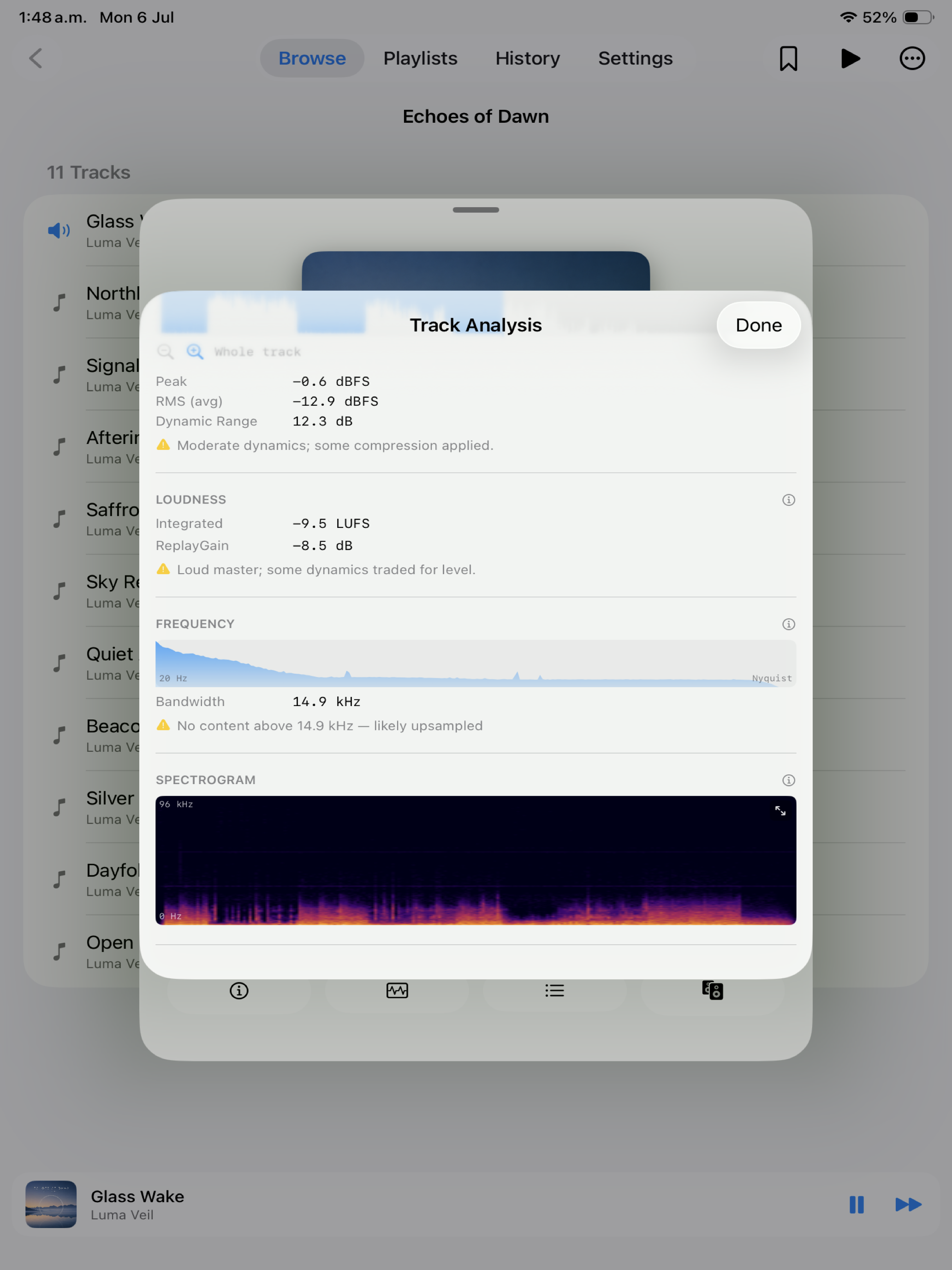
Waveform & loudness Peak, RMS, dynamic range, and a full spectrogram.
The signal path, honestly
See exactly how your music reaches your ears.
Every play surfaces the live playback chain. Before building its audio graph, Nyquist sets the output device's nominal rate to match the file — or a clean same-family multiple — and waits for the DAC clock to re-lock, so nothing is resampled behind your back.
For DSD in DSF or DFF files, Nyquist keeps the DSD bitstream intact: compatible USB DACs receive it through bit-perfect DoP on macOS, while compatible network receivers receive the original file directly.
- Green — bit-perfect (source rate equals output rate)
- Yellow — resampling in effect
- Lock — exclusive (hog) mode active
Disk-streamed frame-by-frame, never decoded whole into RAM — so even 24/192 material stays light on resources.
One universal app. Mac, iPhone, iPad & Apple TV.
A single purchase covers every device, with a native experience tuned to each.
-
macOS
Per-app CoreAudio output selection, exclusive mode, bit-perfect DSD over DoP to compatible USB DACs, network play, and a desktop-class file browser with a full metadata inspector and track-analysis pane. Requires macOS 14.6 or later.
-
iPhone & iPad
Tabbed navigation across Browse, Playlists, History, and Settings, with a pinned mini player that expands to a full now-playing screen. Full playlist management, background playback that keeps going when the screen locks — with working lock-screen and Control Center controls, even while casting — and routing to AirPlay, Bluetooth, or wired output. Requires iOS / iPadOS 17.6 or later.
-
Apple TV
Browse and search your SMB libraries from the couch, with a focus-driven interface and a full Now Playing screen with a remote-friendly scrubber. Cast to network receivers from the living room. Requires tvOS 17.0 or later.
Private by design
No accounts. No tracking. No cloud.
Nyquist collects no data. The only network activity stays on your own local network — reading the NAS or file shares you add, and streaming to the UPnP/DLNA receivers you choose. The app is sandboxed and only ever touches folders you grant via the system file picker; its search index is built and stored entirely on-device.
Frequently asked questions
Is Nyquist a streaming service?
No. Nyquist plays the music files you already own from local drives, external SSDs, and NAS shares. There are no subscriptions, accounts, or streaming catalogs.
Which audio formats does it support?
FLAC; AAC, ALAC, or PCM in MPEG-4 Audio; MP3; AIFF and AIFC; WAV and Wave64; CAF; AU and SND; AAC and ADTS; Ogg Vorbis, Opus, or FLAC; and DSD in DSF and DFF files. See the supported formats section for extensions and platform details. MMF/SMAF, WMA/ASF, and SACD ISO are not currently supported; their implementation costs and practical alternatives are listed there too.
How does Nyquist play DSD?
On macOS, compatible USB DACs receive the DSD bitstream through bit-perfect DSD over PCM (DoP). Compatible UPnP/DLNA network receivers receive the original DSF or DFF file directly.
What does "bit-perfect" actually mean here?
On macOS, Nyquist matches your DAC's hardware sample rate to each file (44.1 → 88.2/176.4, 48 → 96/192) and waits for the clock to re-lock so CoreAudio performs no resampling. It never forces cross-family conversions; if no native match exists, it leaves the device untouched rather than degrade the signal.
Can Nyquist play to my Denon/HEOS or other network receiver?
Yes. Nyquist discovers UPnP/DLNA receivers on your local network and streams the original file directly to them, with gapless hand-off on receivers that support it. They appear in the same output picker as your DACs, and the receiver's volume stays in sync.
Can it tell whether my hi-res files are genuine?
Often, yes. The track-analysis pane measures each file's real bandwidth: a "hi-res" file with no ultrasonic content was likely upsampled, and a "lossless" file with a sharp cliff around 16 kHz was likely transcoded from a lossy source. It also reports loudness, ReplayGain, and dynamic range.
Does Nyquist collect any data?
No. There are no accounts, analytics, advertising, or tracking. The only network access is on your own LAN — reading the shares you add and streaming to receivers you select. In Apple's terms, Nyquist is "Data Not Collected."
What do I need to run it?
macOS 14.6 or later (Apple Silicon), iOS / iPadOS 17.6 or later, or tvOS 17.0 or later. A USB DAC is recommended on macOS to get the most from bit-perfect output, and a UPnP/DLNA receiver for network play, but neither is required.
Hear your library the way it was recorded.
Download Nyquist and play your music correctly — gapless, bit-perfect, and instantly browsable, on every Apple device.
Download on the App Store