Browse the library you already maintain
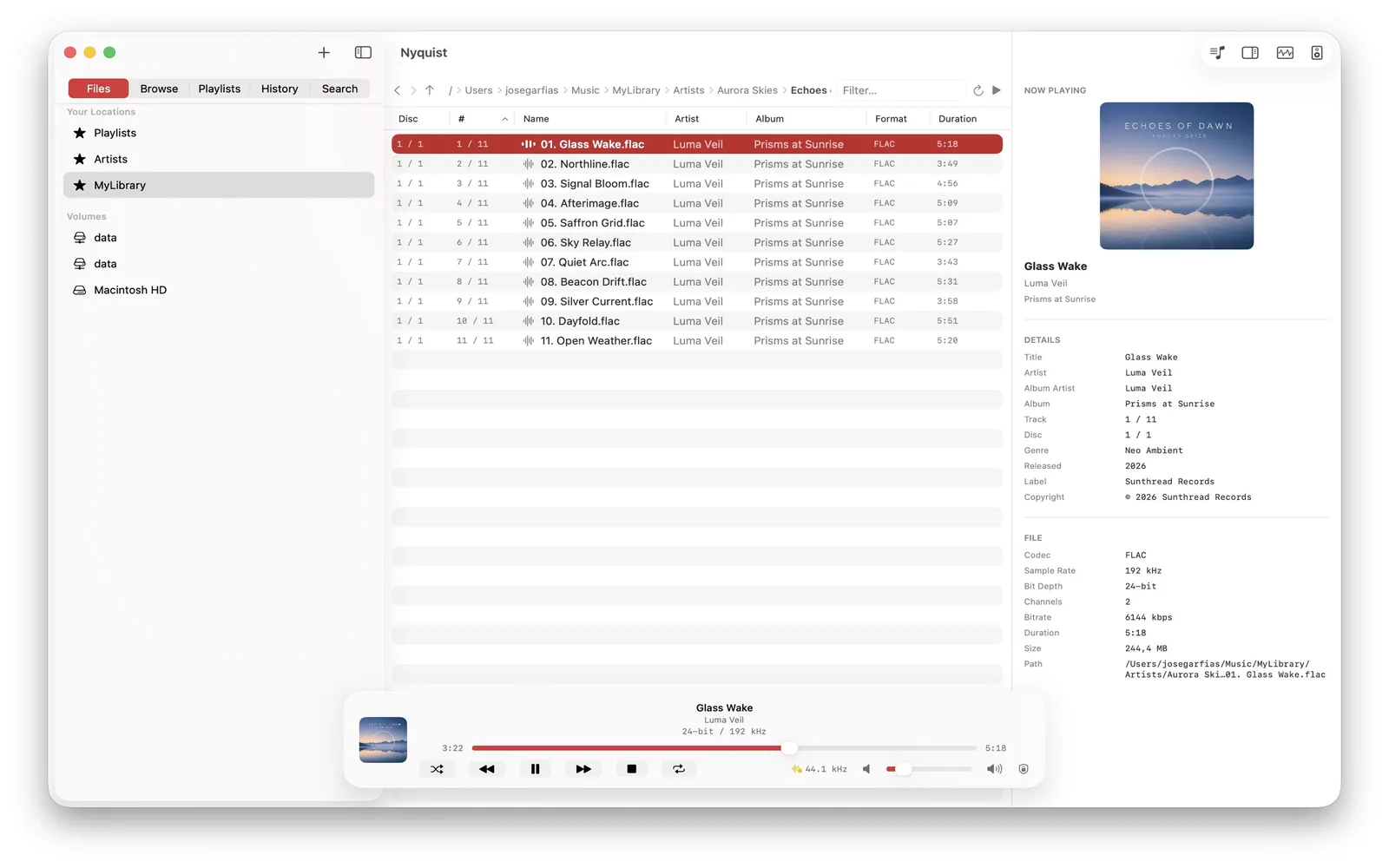
Nyquist uses folder-first navigation. It discovers the current location asynchronously and fills in metadata in the background, so opening a large collection does not begin with a mandatory full scan.
Keep albums continuous
Consecutive FLAC tracks with the same processing format can be pre-scheduled on one playback node for a gapless transition. That matters for live recordings, classical works, continuous mixes, and albums whose track boundaries are not pauses.
See what the FLAC contains
The inspector reports sample rate, bit depth, channel count, codec, metadata, and cover art. Track analysis can add waveform, peak and RMS levels, EBU R128 loudness, ReplayGain, dynamic range, spectrum, bandwidth, and a spectrogram.
Use a Mac output directly
Select a CoreAudio output such as a compatible USB DAC, ask it to match the file rate, and see whether resampling is detected. Exclusive mode is optional. Nyquist does not turn those observations into an unsupported guarantee of bit-identical PCM.
Play FLAC from a NAS
Add an SMB share directly or through Files. Nyquist starts remote playback while making a temporary local copy for responsive seeking, then prefetches the next track. For UPnP/DLNA output, the original FLAC file is sent without transcoding to a receiver that supports it.
FLAC is lossless, not a mastering score
FLAC reconstructs the PCM samples represented by the file, but it does not prove where those samples came from. A spectrum or bandwidth measurement can offer evidence about a source; it cannot make provenance certain or make a high sample rate automatically better.
Nyquist requires an Apple Silicon Mac with macOS 14.6 or later. Compare all supported formats, learn about lossless audio, or review USB DAC controls.