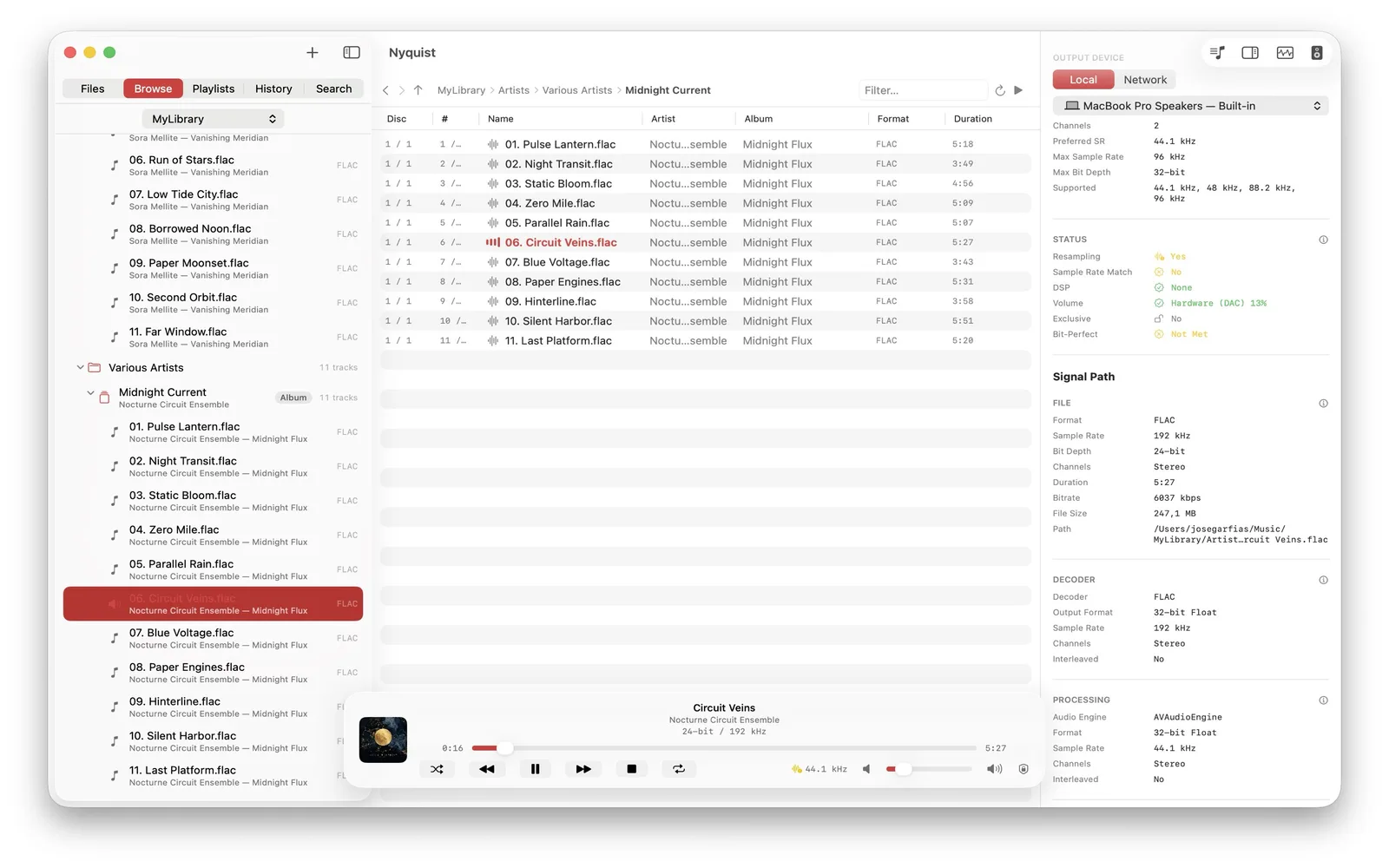
Select one output for Nyquist
Choose a CoreAudio output inside the app without changing the system-wide output for every other application. Nyquist remembers the device by stable identifier and falls back to the system default when it is unavailable.
Match the device rate
Before constructing the PCM graph, Nyquist asks the DAC for the source rate or a clean same-family multiple and waits for the hardware clock to settle. The signal path then reports source and output rates and whether resampling is detected.
Rate matching is not a blanket bit-perfect claim. Nyquist's PCM engine uses a 32-bit float mixer, so it does not claim provable bit-identical PCM from file to DAC.
Use exclusive mode when appropriate
Exclusive, or hog, mode asks macOS for sole ownership of the device while Nyquist is using it. This can keep another app from reconfiguring the DAC, but it also prevents that app from using the output until ownership is released.
Keep volume behavior explicit
Nyquist uses hardware volume where the selected device exposes it and software gain where needed. An optional limiter can cap output changes. Any active gain matters when evaluating whether sample values remain unchanged.
Send compatible DSD as DoP
DSF and DFF audio can travel as DSD over PCM to a compatible USB DAC on macOS. The DAC extracts the DSD payload. This route is not available for local DSD playback on iPhone, iPad, or Apple TV.
Output support sets the ceiling
A DAC can only accept the formats and rates it advertises. Nyquist reports that capability boundary; it does not claim that a DAC automatically improves a recording or that a higher accepted rate is always audible.
Read what a USB DAC changes, the bit-perfect guide, or the signal-path reference.